
WordPress powers over 43% of all websites. This makes it the biggest target for hackers and automated bots on the internet. New vulnerabilities are found every week, and attackers now use automated tools to exploit them within hours of disclosure. This guide covers the most important WordPress security news right now, why it matters, and exactly what you should do to protect your site.That’s why staying on top of WordPress security news matters more than ever.
Why WordPress Security News Matters in 2026
WordPress isn’t targeted because it’s poorly built. It’s targeted because of scale. Over 600 million websites run on WordPress, and a large share of them are run by small business owners without a dedicated security team. Attackers don’t need to find a new bug for every site. They find one bug in one popular plugin, then scan the internet for every site running that plugin. A single vulnerability can expose millions of websites at once.
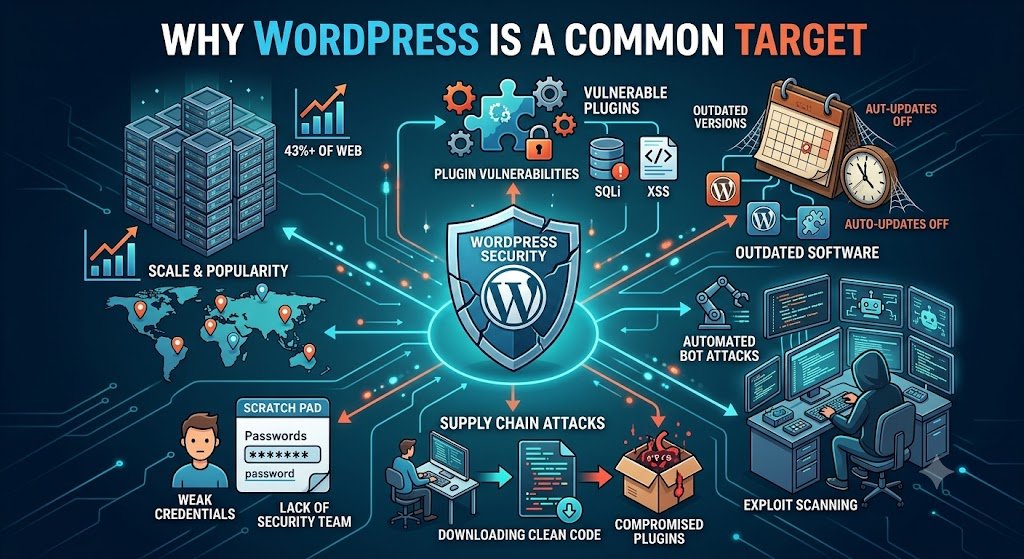
This is why plugin security matters just as much as keeping WordPress itself updated.
WordPress 7.0.3 Fixes a Critical Security Bug
On August 6, 2026, WordPress released version 7.0.3. It fixes a serious bug that let attackers run malicious code without logging in. Researchers found several ways this bug could lead to a full site takeover, including installing a fake plugin or uploading harmful files through the login page.
What makes this bug notable is how it was discovered. Researchers used an AI-based system to study an older 2022 security research paper and found a new attack path from it in under four days. This shows how fast both attackers and defenders are moving in 2026.
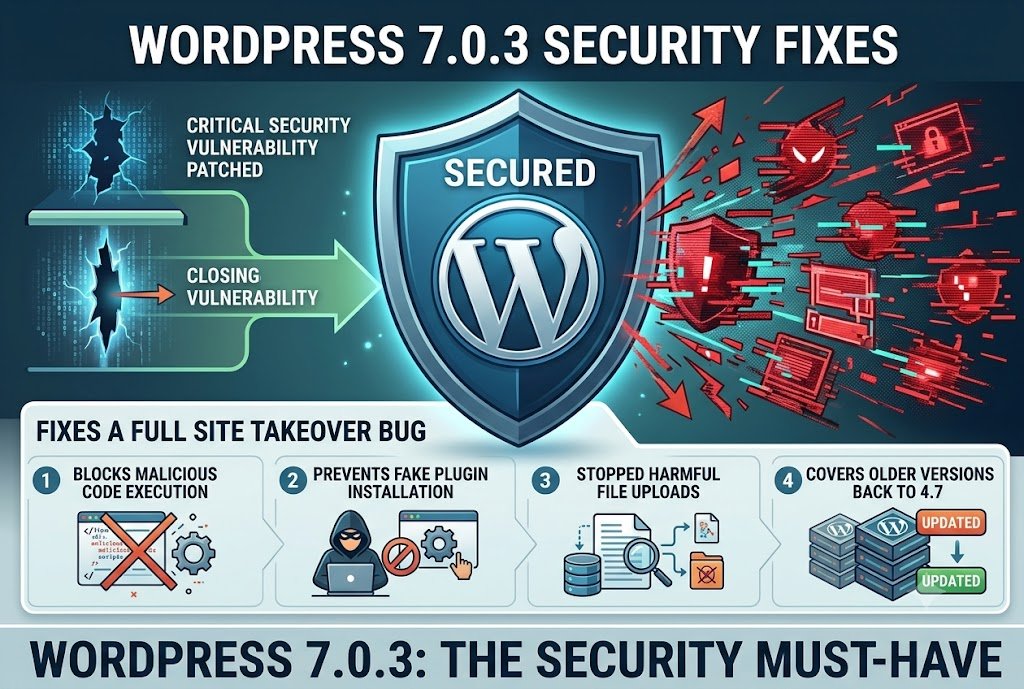
The fix covers older WordPress versions too, going back to version 4.7. If your site has automatic background updates turned on, you likely already have this fix installed. If not, update immediately.
The wp2shell Bug in WordPress Core
In July 2026, security researchers found a critical bug in WordPress core itself, not in a plugin. It was named “wp2shell.” The bug lived inside the WordPress REST API‘s batch request system. Normally, WordPress checks a request before running it. This bug allowed a broken request to skip that check and run anyway, letting an attacker execute code on the server.
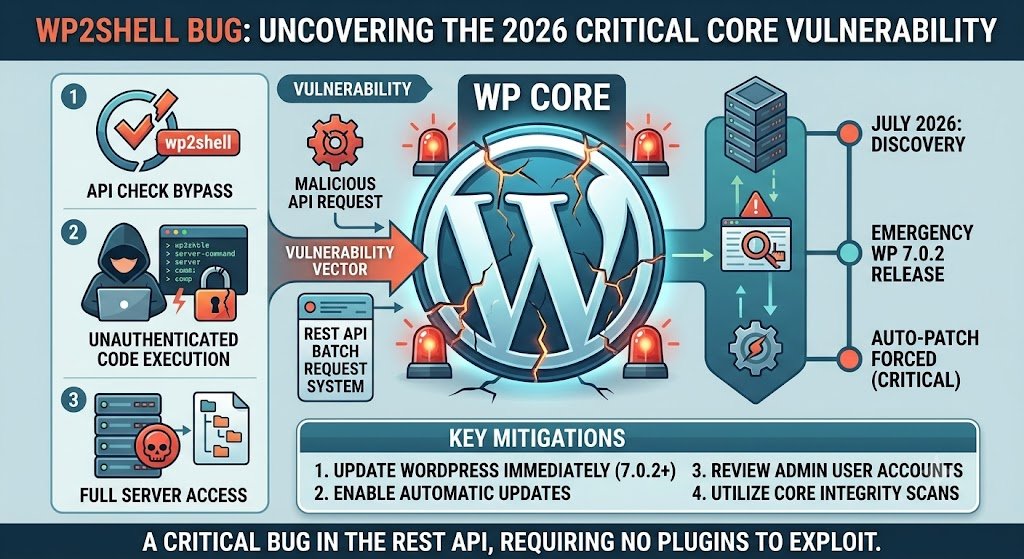
What made this bug especially serious is that it affected a bare WordPress install with zero plugins active. You didn’t need to have any extra software installed to be at risk — just WordPress itself.
WordPress released an emergency update, version 7.0.2, to fix this issue. Because the bug was so dangerous, WordPress forced this update onto sites automatically instead of waiting for site owners to update manually. This is rare and only happens for the most severe security issues.
Most Attacks Come Through Plugins, Not WordPress Itself
WordPress core is fairly secure. Plugins are where the real risk lives. Here is what the data shows for 2026:
- Over 250 new plugin vulnerabilities are disclosed every week
- 43% of these can be exploited without any login or password
- 23% remain unfixed a full month after being made public
- Outdated plugins cause about 52% of all WordPress hacks
- SQL injection and cross-site scripting (XSS) remain the two most common attack methods
- 1 in 25 WordPress sites is infected with malware right now
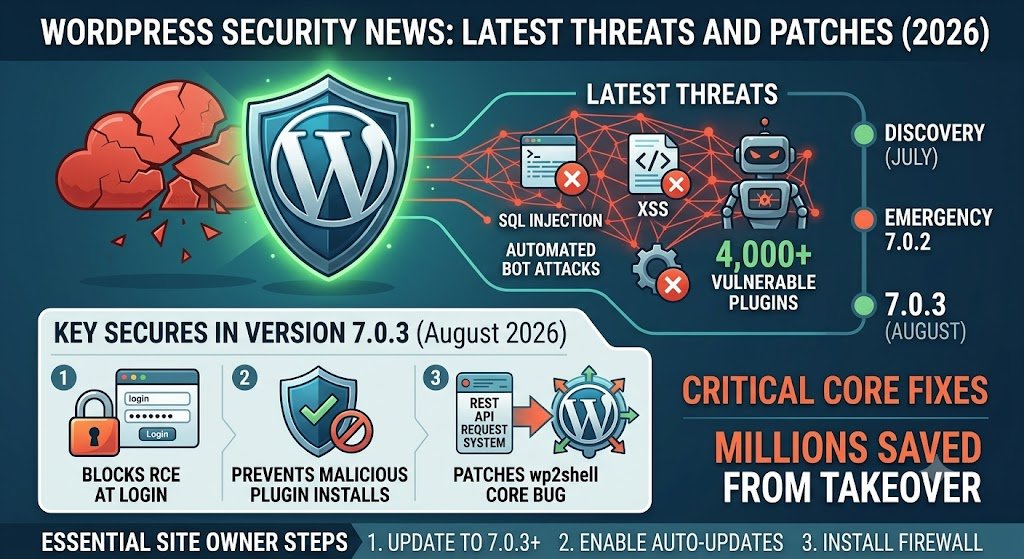
- More than 4,000 plugins currently carry known, unpatched vulnerabilities
Attackers now start exploiting a vulnerability within hours of it being announced publicly. This is often before site owners even see the security warning in their inbox. Waiting for a scheduled maintenance window to apply updates is no longer a safe approach.
A Backdoor Hit 20,000+ Sites Through a Trusted Plugin
In late July 2026, security researchers found a hidden backdoor inside a popular WordPress plugin used on over 20,000 sites. This wasn’t a normal coding mistake. Someone deliberately hid a secret access code inside the plugin’s own files. Using this hidden code, an attacker could send a single request and instantly become an administrator on any site running that plugin — no password needed.
This vulnerability was rated 9.8 out of 10 in severity, close to the maximum possible score. Security firms rolled out firewall protection to paying customers within days, with free-tier protection following about a month later.
Any site that had this plugin installed should assume it may have been compromised, even if it looks fine. Experts recommend removing the plugin immediately, checking every admin account for ones you don’t recognize, changing all passwords, and rotating any API keys or security tokens connected to the site.
This case matters because it shows that even plugins from trusted sources can be turned into attack tools, sometimes through an insider rather than an outside hacker.
Why WordPress Security Is Harder in 2026
A few things are making WordPress security more difficult to manage this year compared to previous years.
Faster attacks. Attackers increasingly use AI tools that can scan for and exploit weaknesses automatically. This shrinks the time between a bug being announced and it being actively used against real websites, sometimes down to just a few hours.
New reporting rules for developers. A new European law, the Cyber Resilience Act, now requires commercial plugin and theme developers to report security bugs faster and more transparently. This is good for long-term safety, but it also means more vulnerabilities are becoming public than in past years, which can feel overwhelming if you’re not prepared.
Too many plugins, not enough oversight. There are more than 60,000 WordPress plugins available, and almost anyone can publish one. Every plugin you install runs with nearly the same access level as your WordPress admin account. Most successful attacks today trace back to plugin code, not WordPress itself.
WordPress Security News: What You Should Do Right Now
- Update WordPress to at least version 7.0.3. Turn on automatic background updates if they’re currently off, so future critical patches install without delay.
- Remove plugins and themes you don’t actively use. An inactive plugin is still a working entry point for attackers — deleting it removes the risk entirely.
- Check your installed plugins against recent vulnerability disclosures, especially caching, SEO, forms, and security plugins, since these tend to run with high permissions on your site.
- Install a firewall plugin, such as Wordfence or a service like Patchstack. This can block many attacks automatically, even before you’ve had a chance to apply an official patch.
- Use strong, unique passwords for every admin account, and turn on two-factor authentication so a stolen password alone isn’t enough to break in.
- Keep regular backups stored somewhere separate from your hosting account, so you can recover quickly if a hack does happen.
- Update immediately when a security patch is released. Don’t wait for a scheduled maintenance day — automated attacks often begin the very same day a vulnerability becomes public.
Frequently Asked Questions
Is WordPress safe to use in 2026?
Yes, when kept updated. WordPress core is well-maintained and patched quickly by its development team. Most hacks happen through outdated or vulnerable plugins, not through WordPress itself.
How do I know if my WordPress site has been hacked?
Common warning signs include unknown admin accounts, unexpected redirects to other websites, a sudden drop in site speed, spam content appearing on your pages, or your hosting provider flagging malware. A security plugin like Wordfence can scan your site regularly and alert you the moment something looks wrong.
Do I need a security plugin for WordPress?
Yes. A security plugin adds a firewall, malware scanning, and login protection to your site. This blocks many common attacks automatically, even before an official WordPress or plugin patch is available.
How often should I update WordPress and my plugins?
As soon as an update is available, especially if it’s labeled as a security release. Waiting even a few hours can be risky, since automated attacks often begin the same day a vulnerability is publicly announced.
What is the biggest WordPress security risk right now?
Outdated and vulnerable plugins. They cause more than half of all WordPress hacks. Keeping every plugin updated, and removing any you don’t actively use, is the single most effective step you can take to protect your site.
Can a hacked plugin be trusted again after it’s patched?
Generally yes, once the developer has released and verified a fix. However, if the plugin was compromised through a hidden backdoor rather than a coding mistake, it’s worth reviewing your site closely for signs of leftover unauthorized access before trusting it fully again.
Final Thoughts
WordPress core is reasonably secure, but its huge plugin library creates constant risk. In 2026, attacks happen faster than ever, and even trusted plugins can be turned into entry points through supply-chain attacks. The good news is that protecting your site doesn’t require deep technical skill — it requires consistency. Keep WordPress and all plugins updated without delay, remove anything you don’t use, install a security plugin, and keep working backups. These simple habits stop the vast majority of real-world WordPress attacks before they start.Following WordPress security news regularly is the easiest way to stay ahead of new threats