
Wireless earbuds have become a simple and convenient way to listen to music, watch videos, make calls, and enjoy podcasts without dealing with tangled cables. For Android users, the right pair can make everyday listening much easier, especially when the earbuds offer a stable Bluetooth connection, comfortable fit, good sound, and reliable battery life.
However, choosing the right pair is not only about finding the smallest or most attractive design. Features such as noise cancellation, microphone quality, charging options, water resistance, and Android compatibility can make a noticeable difference.
In this guide, I’ll explain what to look for when choosing wireless earbuds for Android, how they connect to your phone, which features matter most, and how to choose a pair that fits your everyday needs.
What Are Wireless Earbuds for Android?
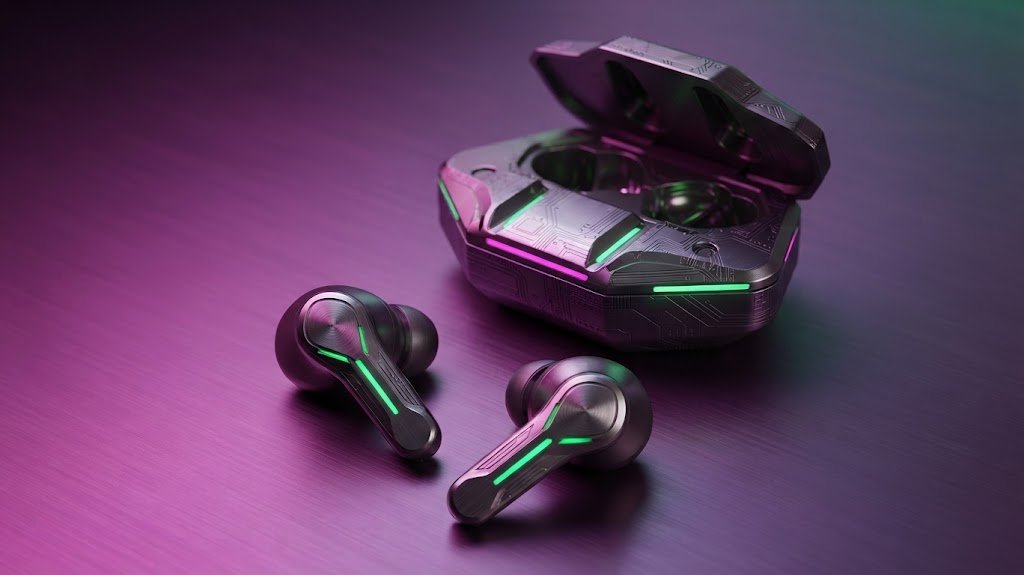
Wireless earbuds for Android are compact listening devices that connect to an Android smartphone or tablet through Bluetooth instead of using a physical cable. Most modern models come with two separate earbuds and a charging case that stores and recharges them when they are not being used.
One of the biggest advantages is convenience. You can take the earbuds out of their case, connect them to your phone, and start listening without plugging anything into the device.
Most android bluetooth earbuds work with a wide range of Android smartphones. However, some brands provide additional features through their own mobile apps. These may include equalizer controls, touch customization, firmware updates, battery information, and other settings.
Before buying, it is therefore useful to check both basic Bluetooth compatibility and the special features supported by your particular Android phone.
How Do Wireless Earbuds Work With Android Phones?
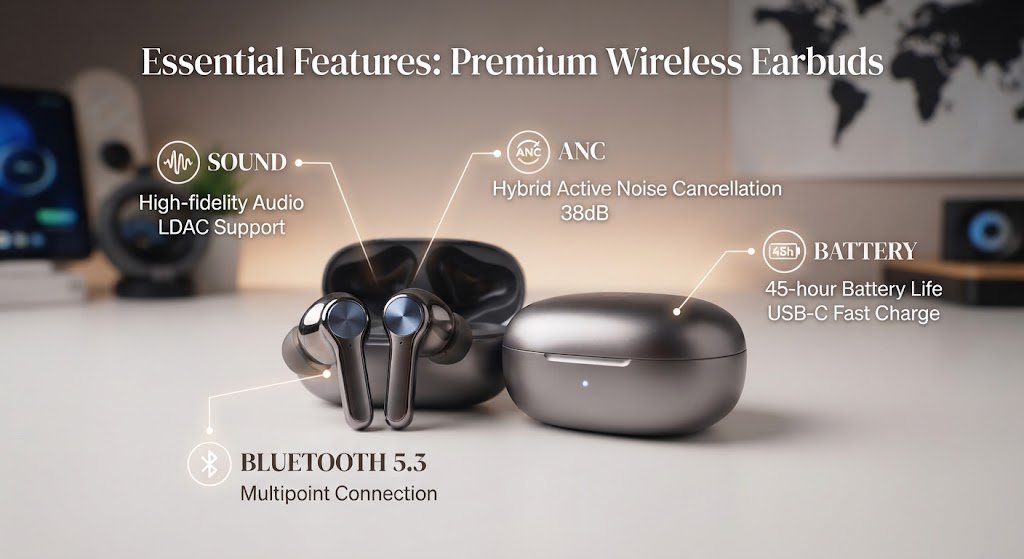
Connecting earbuds to an Android phone is usually straightforward. The earbuds communicate with the smartphone through Bluetooth, allowing you to listen to audio and make calls wirelessly.
Bluetooth Pairing
First, turn on Bluetooth in your Android phone’s settings. Then place the earbuds into pairing mode. Your phone should display the available Bluetooth devices, allowing you to select the earbuds and establish a connection.
After the initial setup, many earbuds automatically reconnect when you open their charging case or take them out.
Android Compatibility
How Do Wireless Earbuds Work With Android Phones. Most modern earbuds use standard Bluetooth technology, but advanced functions can vary between manufacturers.
For example, basic audio playback may work perfectly, while features such as customized touch controls or advanced equalizer settings may require a companion Android app.
This is why checking the manufacturer’s compatibility information before purchasing can save you from unexpected limitations.

Important Features to Look for in Wireless Earbuds
There are many models available, ranging from basic budget earbuds to feature-rich premium options. Instead of focusing only on price, consider how you plan to use them.
1. Sound Quality
Sound quality should be one of your first considerations. Good earbuds should produce clear vocals, balanced instruments, and enjoyable bass without making the audio sound muddy.
If you mainly listen to music, you may want stronger bass and a customizable equalizer. For podcasts and calls, clear voices may be more important.
A balanced sound profile is usually a practical choice for people who listen to different types of content throughout the day.
2. Noise Cancellation
Noise cancellation can make a big difference when you listen in busy environments. Earbuds noise cancelling technology, particularly active noise cancellation (ANC), uses microphones and electronic processing to reduce certain outside sounds.
This can be useful on public transportation, in busy offices, or while traveling.
It is also important to understand the difference between active noise cancellation and passive isolation. Passive isolation comes from the physical seal created by the ear tips, while ANC actively reduces certain external sounds.
You do not necessarily need ANC if you mostly listen in quiet rooms, but it can be a useful feature for people who regularly deal with background noise.
3. Comfort and Fit
Even excellent-sounding earbuds are not useful if they become uncomfortable after a short period.
Look for earbuds that come with different ear-tip sizes. A proper fit can improve comfort, sound quality, and passive noise isolation at the same time.
The shape and weight also matter. Comfortable wireless earbuds should sit securely without creating excessive pressure inside your ears.
If you plan to listen for several hours each day, comfort should be treated as an important buying factor rather than an extra feature.
4. Battery Life
Battery life determines how often you need to recharge your earbuds. Most wireless models provide several hours of listening from the earbuds themselves, while the charging case provides additional battery capacity.
When comparing models, look at both the individual earbud battery life and the total battery life offered by the case.
Fast charging can also be helpful. A short charging period can provide enough power for several hours of use, depending on the model.
5. Wireless Charging
Some charging cases support wireless charging, which can make daily use more convenient. Instead of connecting a cable every time, you can place a compatible case on a wireless charging pad.
Wireless charging earbuds can be especially convenient if you already use wireless charging for your smartphone or other devices.
However, wireless charging is not essential for everyone. If you normally charge your devices with USB-C, a standard charging case may be perfectly suitable.
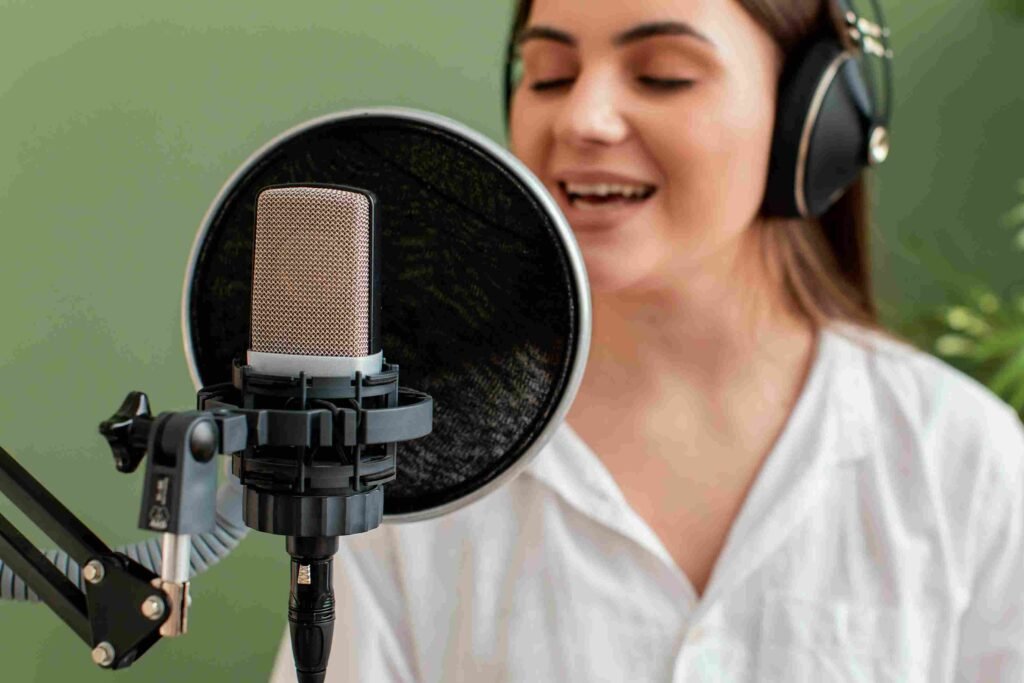
6. Microphone and Call Quality
Earbuds are not only for music. Many people use them for phone calls, online meetings, and voice chats.
Look for models with good microphones and technologies designed to reduce background noise. This can help your voice sound clearer when you are speaking in a busy environment.
If you frequently attend online meetings, microphone performance may be more important to you than having extremely powerful bass.
7. Water and Sweat Resistance
If you plan to use earbuds during exercise, check their IP rating before buying.
Water and sweat resistance can provide additional protection during workouts and outdoor activities. However, water-resistant does not automatically mean waterproof, so you should always follow the manufacturer’s usage instructions.
Wireless Earbuds vs. Other Wireless Headphones
Wireless earbuds are not the only option for people who want cable-free audio. Depending on your needs, another type of wireless headphone may work better.
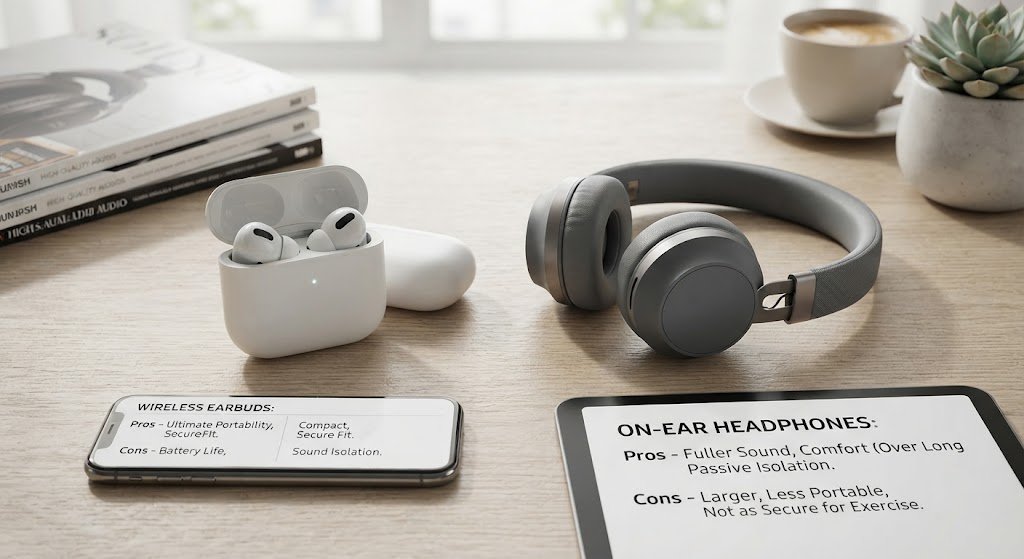
Wireless Earbuds vs. Lightweight On-Ear Wireless Headphones
Lightweight on ear wireless headphones sit outside the ears instead of fitting directly inside the ear canal.
They can provide a different listening experience and may be preferred by people who do not enjoy in-ear designs. On-ear headphones can also have larger drivers and may offer a different sound presentation.
Wireless earbuds, however, are generally easier to carry because of their compact size. They are particularly convenient for commuting, workouts, travel, and quick everyday use.
The right choice depends on comfort, portability, sound preferences, and how you plan to use the device.
Wireless Earbuds vs. Wireless Neckband Earphones
Wireless neckband earphones connect the two earbuds with a flexible band that rests around your neck.
This design can be useful for people who are worried about losing individual earbuds. The neckband can also provide convenient controls and, depending on the model, longer battery life.
True wireless earbuds offer a more compact design, while neckband models can provide a different balance between stability and convenience.
Benefits of Using Wireless Earbuds With Android
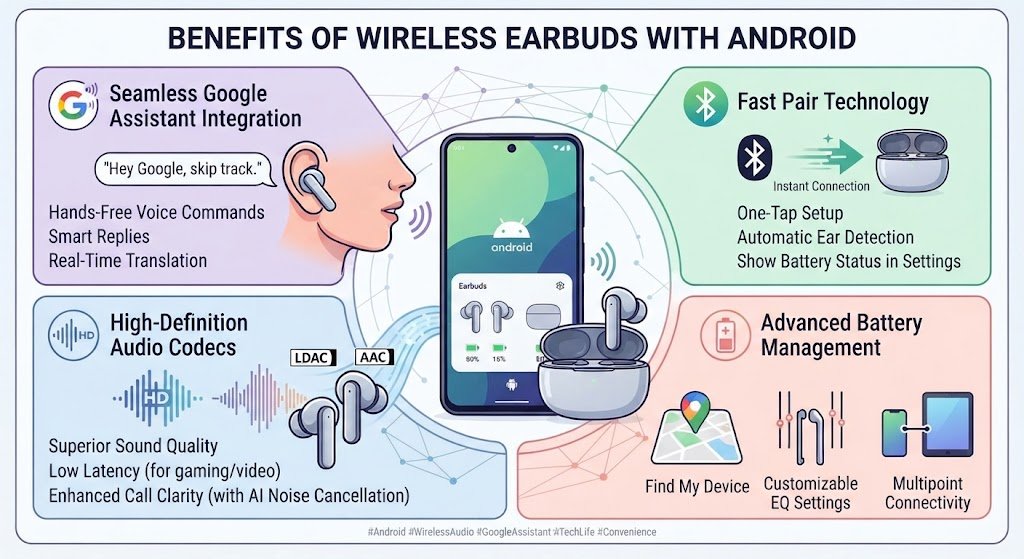
There are several reasons Android users choose wireless earbuds for everyday listening.
First, there are no cables to manage. You can keep your phone in a pocket or bag while listening to music or taking calls.
Second, their small size makes them easy to carry. A charging case can fit into a pocket or small bag, making the earbuds convenient for travel.
They can also be useful during exercise because there is no cable connecting the earbuds to your smartphone.
Another benefit is versatility. The same pair can be used for music, podcasts, videos, phone calls, online meetings, and other everyday activities.
When choosing wireless earbuds for Android, it is therefore worth considering your actual routine instead of simply choosing the model with the longest list of features.
How to Choose the Right Wireless Earbuds for Android
The best choice depends on your lifestyle and listening habits.
For Everyday Listening
Choose a model with balanced sound, reliable Bluetooth, comfortable ear tips, and decent battery life. You may not need advanced features if you mostly listen at home or during short trips.
For Commuting
Noise cancellation can be more valuable if you regularly travel in buses, trains, or other noisy environments. A secure fit and good battery life are also useful.
For Calls and Work
Focus on microphone quality, connection stability, and long-term comfort. If you attend frequent online meetings, clear voice transmission should be high on your list.

For Fitness
Look for a secure fit and suitable sweat resistance. Lightweight construction can also make earbuds more comfortable during movement.
For Long Listening Sessions
Comfort becomes especially important. Choose ear tips that fit properly and a lightweight design that does not create pressure.
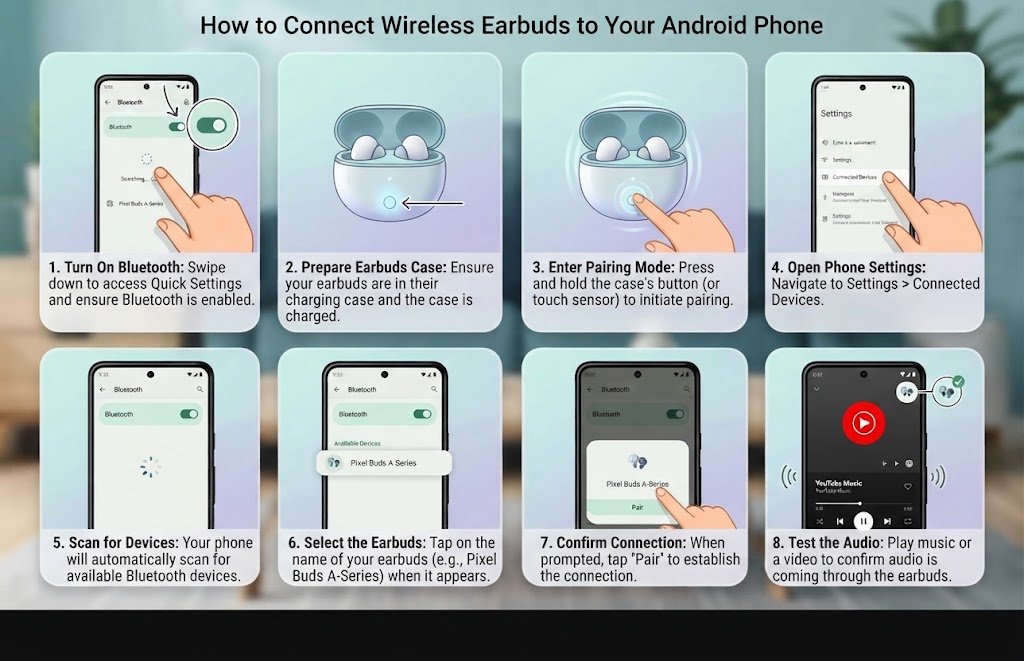
How to Connect Wireless Earbuds to an Android Phone
Pairing wireless earbuds for Android usually takes only a few steps.
Step 1: Turn On Bluetooth
Open your Android phone’s Bluetooth settings and turn Bluetooth on.
Step 2: Open the Earbuds Case
Take the earbuds out or open the charging case, depending on the manufacturer’s instructions.
Step 3: Enter Pairing Mode
Some models automatically enter pairing mode. Others require you to press and hold a button or touch area.
Step 4: Select the Earbuds
Look at the list of available Bluetooth devices on your phone and select your earbuds.
Step 5: Confirm the Connection
Once paired, your phone should show the earbuds as connected.
Step 6: Test the Audio
Play music or a video to make sure both earbuds are working correctly.
Common Wireless Earbud Problems and Easy Fixes
Even good earbuds can occasionally experience connection or battery problems.
Earbuds Will Not Connect
Make sure Bluetooth is enabled and the earbuds have enough battery. If the problem continues, remove the earbuds from your phone’s Bluetooth list and pair them again.
One Earbud Is Not Working
Check whether both earbuds are charged and properly seated in the charging case. Dirty charging contacts can also prevent an earbud from charging correctly.
Audio Keeps Cutting Out
Move your phone closer to the earbuds and check whether there is strong Bluetooth interference nearby. Restarting the connection can also help.
Battery Drains Quickly
Check whether features such as ANC are being used continuously. Also inspect the charging case and make sure the earbuds are making proper contact when placed inside.
Tips for Getting Better Performance From Android Earbuds
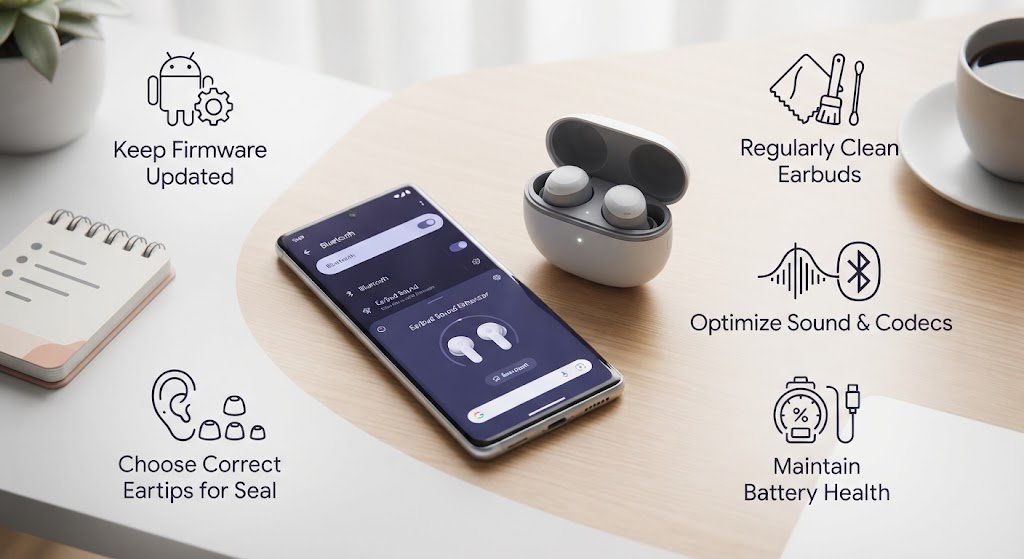
A few simple habits can improve the everyday experience.
- Use the correct ear-tip size for a secure fit.
- Keep the earbuds and charging contacts clean.
- Install firmware updates when available.
- Keep the charging case properly charged.
- Use the manufacturer’s Android app when useful.
- Store the earbuds in their case when they are not being used.
- Avoid exposing them to conditions beyond their stated water-resistance rating.
These small steps can help maintain sound quality, connection reliability, and battery performance over time.
Frequently Asked Questions
Are wireless earbuds compatible with Android phones?
Yes. Most modern Bluetooth earbuds can connect to Android smartphones. However, advanced features may vary depending on the brand, model, and companion app.
Do all Bluetooth earbuds work with Android?
Most Bluetooth audio earbuds can work with Android devices, but some special functions may be limited. Always check compatibility before buying.
What features should I look for in Android earbuds?
Consider sound quality, comfort, battery life, microphone performance, Bluetooth stability, noise cancellation, and water resistance based on your needs.
Are noise-cancelling earbuds worth using?
They can be useful if you regularly listen in noisy environments. If you mostly use earbuds in quiet places, you may not need ANC.
Are wireless earbuds comfortable for long hours?
Comfort depends on the shape, weight, and ear-tip size. Trying different ear-tip sizes can help you find a better fit.
Do wireless earbuds support wireless charging?
Some models include wireless charging cases, while others use USB-C or another wired charging method. Check the specifications before buying.
Are wireless neckband earphones better than earbuds?
They offer a different design rather than a universally better experience. Neckband models can be useful for people who prefer a connected design, while true wireless earbuds offer greater portability.
How do I connect wireless earbuds to Android?
Turn on Bluetooth, put the earbuds into pairing mode, select them from the Bluetooth device list, and confirm the connection.
Final Thoughts
Choosing wireless earbuds for Android does not have to be complicated. The right pair should match the way you actually listen, whether that means enjoying music at home, commuting to work, making calls, exercising, or watching videos.
Focus on the features that matter most to you. Sound quality, comfort, battery life, Bluetooth reliability, microphone performance, and noise cancellation are all worth considering. Wireless charging and water resistance can also be useful depending on your routine.
Instead of choosing earbuds based only on the number of features they advertise, think about how they will fit into your daily life. A comfortable, reliable pair that meets your needs can provide a much better experience than a model packed with features you rarely use.