
Gaming has changed a lot over the years. Modern games now offer detailed worlds, realistic lighting, smoother movement, and impressive sound. One of the biggest improvements gamers notice is the move from HD to 4K resolution. A game console 4K setup can make games look much sharper, especially when connected to a good 4K television.
However, resolution is not the only thing that matters. Frame rate, HDR, storage, HDMI support, controller quality, and the games available on a console can all affect your experience.
In this guide, I will explain what 4K gaming means, how it works, what features to look for, and how to choose a console setup that fits your gaming style and budget.
For gamers who want sharper visuals on a large screen, a game console 4K can provide an impressive upgrade over traditional HD gaming.
What Is a Game Console 4K?
A 4K game console is a gaming system that can output games or other video content at a resolution of up to 3840 × 2160 pixels. This is commonly called 4K UHD.
Compared with 1080p Full HD, 4K provides considerably more pixels. This can make small details such as textures, distant objects, character features, and environments appear sharper on a suitable display.
One important thing to understand is that not every game necessarily runs at native 4K. Some games use techniques such as dynamic resolution or upscaling to reach a 4K output.
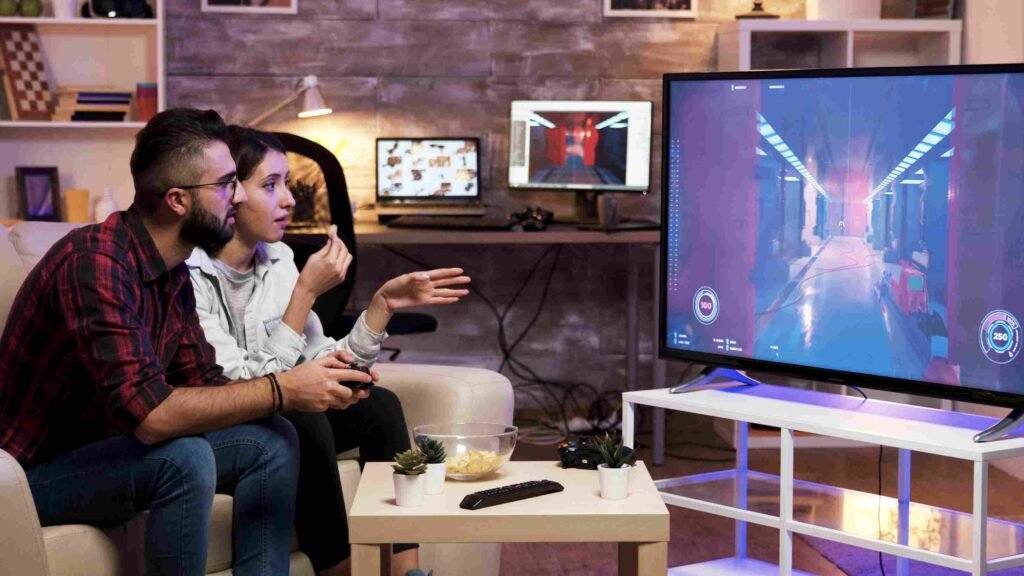
Native 4K vs Upscaled 4K
Native 4K means the game is rendered at 3840 × 2160 pixels. Upscaled 4K means the game may be rendered at a lower resolution and then processed to produce a 4K output.
The difference can be difficult to notice from a normal viewing distance, especially on smaller screens. Developers may also choose different graphics modes depending on whether they want higher resolution, better effects, or a faster frame rate.
This is why it is useful to look beyond the word “4K” when comparing gaming hardware.
How Does 4K Gaming Work?
4K gaming depends on several parts of the system working together. The console needs enough graphics processing power to render detailed images, while the television or monitor needs to support the required resolution and refresh rate.
The performance of a game console 4K depends on how the console, game, and display work together to deliver the final image.
The main features to understand include:
- Resolution: Determines how much visual detail can be displayed.
- Frame rate: Determines how smoothly movement appears.
- HDR: Can improve brightness, contrast, and color range.
- GPU performance: Helps the system render complex game graphics.
- HDMI connection: Transfers video and audio between the console and display.
- Display quality: A good TV or monitor helps you see the benefits of higher-quality output.
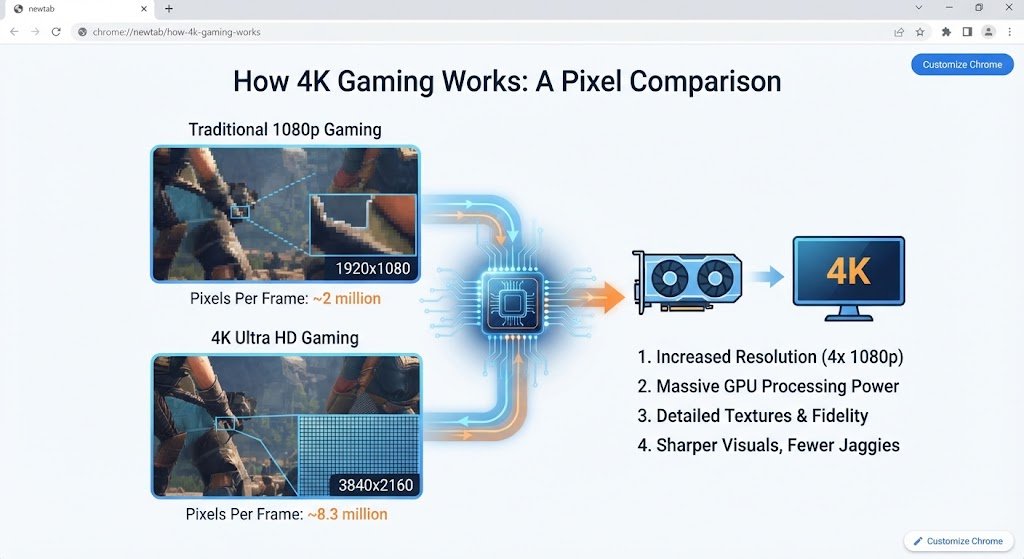
4K Resolution and Frame Rate
Resolution and frame rate are not the same thing. Resolution is about image detail, while frame rate is about how many images are displayed each second.
For example, a game running at 30 frames per second can look detailed but may not feel as smooth as a game running at 60 FPS. Some games provide different graphics modes, allowing players to choose between higher resolution and smoother performance.
For action games, racing games, and competitive titles, a higher frame rate can be especially useful. For story-driven games, some players may prefer visual detail and advanced graphics effects.
HDR in 4K Gaming
HDR stands for High Dynamic Range. It is designed to provide a wider range of brightness and colors than standard dynamic range.
When a game and display both support HDR, bright areas can appear more vibrant while dark areas can retain more detail. The overall image can look richer when HDR is properly implemented.
Keep in mind that having a 4K resolution does not automatically mean a display has good HDR performance. When buying a television for gaming, it is worth checking both features separately.
Key Features to Look for in a 4K Gaming Console
When choosing a game console 4K, it is important to compare more than resolution. Performance, connectivity, storage, and game support can all affect your overall gaming experience
.Choosing a console involves more than checking its resolution. Before buying, consider the features that matter most to your gaming habits.
1. 4K Output Support
The console should support the resolution you want to use. If your goal is a 4K gaming setup, check whether the console supports 4K output and how individual games handle the resolution.
2. Frame Rate Support
Look at the frame rates supported by the games you play. A console and display that support higher refresh rates can provide a smoother experience in compatible games.
3. HDR Support
HDR can improve the visual experience when paired with a capable TV or monitor. Check that both the console and display support compatible HDR standards.
4. HDMI Support
HDMI is important because it carries the video signal from your console to your display. Newer HDMI standards can support features such as higher refresh rates and advanced 4K gaming options.
5. Storage
Modern games can take up a large amount of storage space. If you download many games, a console with more storage or expandable storage can be more convenient.
6. Game Library
A powerful console is not very useful if it does not have the games you want to play. Check the available games, exclusive titles, backward compatibility, and online services before making a decision.
7. Controller Quality
The controller is something you use every time you play. Comfort, button layout, wireless performance, battery life, and responsiveness can make a noticeable difference during long gaming sessions.
4K Console vs Gaming PC
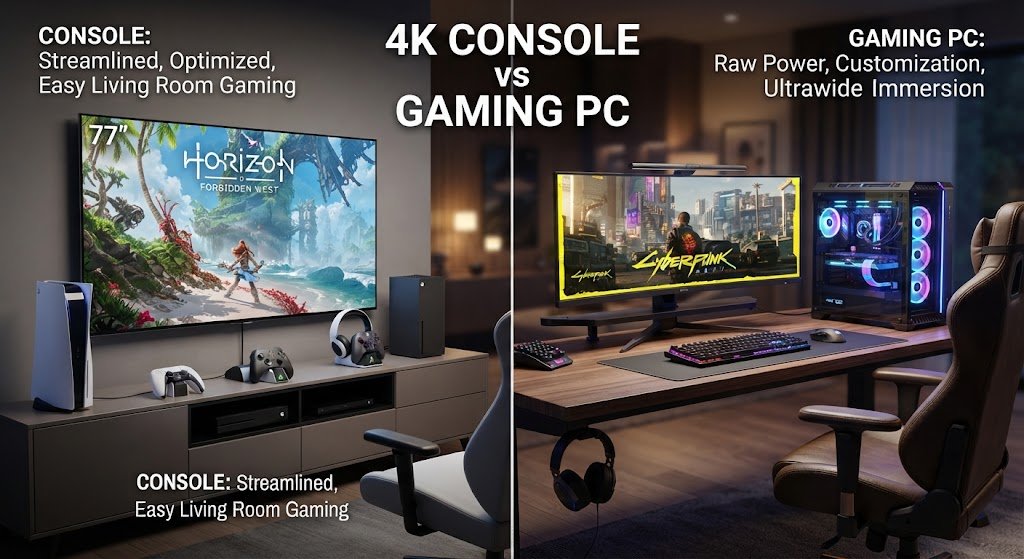
A 4K console and gaming PC can both provide excellent gaming experiences, but they work differently.
A console is generally designed to be simple. You connect it to a television, install your games, and start playing. Hardware configurations are fixed, so you do not normally need to worry about changing graphics cards or other internal components.
A gaming PC offers more customization. Players can choose different graphics settings, upgrade components, install certain software, and use the computer for other tasks.
The choice depends on what you want from your gaming setup. If you prefer a straightforward living-room experience, a console can be convenient. If customization and hardware upgrades are important to you, a gaming PC may provide more flexibility.
For a game console 4K setup, the main advantage is the combination of console convenience and detailed visuals on a compatible large-screen display.
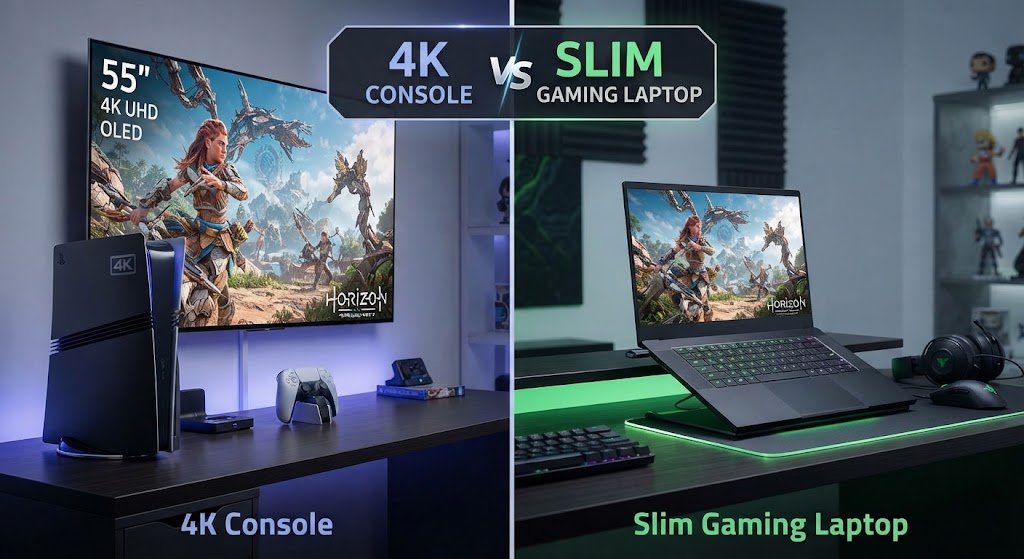
4K Console vs Slim Gaming Laptop
A slim gaming laptop is designed for people who want gaming performance in a portable computer.
The biggest advantage of a laptop is mobility. You can take it between rooms, use it for work or study, and play games without needing a separate TV.
A console, on the other hand, is usually better suited to a dedicated gaming area. It can connect to a large TV and provide a comfortable couch-based experience.
Laptops can also offer features that consoles do not, such as desktop applications and easier access to PC software. The right choice depends on whether portability or a dedicated large-screen gaming setup is more important to you.
Mini Game Console vs Full-Size 4K Console
A mini game console is usually a small gaming device designed for simple or retro-style gaming. These systems can be attractive because they take up little space and are often easy to connect to a television.
However, a mini console should not automatically be considered equivalent to a modern high-performance 4K console.
Many mini systems focus on classic games rather than demanding modern titles. If you want advanced graphics, current games, higher frame rates, and modern features, you should look carefully at the specifications rather than choosing based only on size or appearance.
Gaming Accessories That Can Improve Your Setup
The console itself is only one part of a gaming setup. The right accessories can make gaming more comfortable.
Mobile Controller
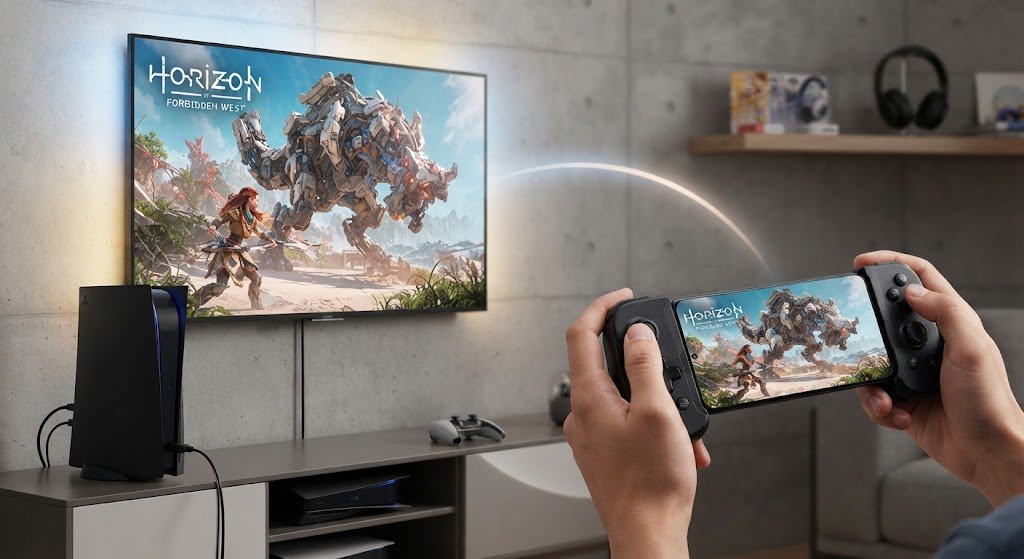
A mobile controller can make games on smartphones easier to control. Touchscreen controls work well for many games, but physical buttons and analog sticks can provide better control for racing, action, and other titles.
If you regularly play games on your phone, a compatible controller can give you a more console-like experience.
Gaming Earbuds With Mic
Gaming earbuds with mic can be useful when you play multiplayer games. They allow you to hear game sounds while communicating with teammates or friends.
When choosing gaming earbuds, consider comfort, microphone quality, connection type, battery life, and compatibility with your device.

Best Xbox Controllers: What Should You Look For?
When people search for the best Xbox controllers, they often focus on comfort and responsiveness. These are important, but there are other factors to consider as well.
Look at the controller’s button layout, wireless connection, battery options, build quality, compatibility, and extra features. A comfortable controller can be especially valuable if you regularly play for several hours.
Can You Use a 4K Console for Phone Gaming?
Console gaming and phone gaming are different experiences, but they can complement each other.
Phones are convenient because they are already part of everyday life. You can play games almost anywhere, while a console is better suited to a dedicated gaming setup with a large screen and physical controller.
Mobile controllers can improve phone gaming by providing traditional buttons and sticks. Some players may also use cloud gaming services to access games on mobile devices, although the experience depends heavily on the internet connection.
What TV Do You Need for 4K Console Gaming?
Your TV has a major effect on how your console looks and feels.
A game console 4K can show its full visual potential when paired with a television that supports 4K resolution, HDR, and suitable refresh rates.
A 4K television is the obvious starting point if you want to enjoy 4K output. However, you should also consider refresh rate, HDR support, HDMI features, and input lag.
A 60Hz TV can work well for many games. A 120Hz display can be useful for games that support higher frame rates.
Do You Need a 120Hz TV?
Not necessarily. A 120Hz television is useful when you want to take advantage of games that support higher frame rates.
If most of the games you play are limited to lower frame rates, you may not notice a major benefit from a higher refresh rate.
For gamers who care about fast movement and competitive gameplay, however, a higher-refresh-rate display can be an important part of the setup.
Benefits of 4K Gaming Consoles
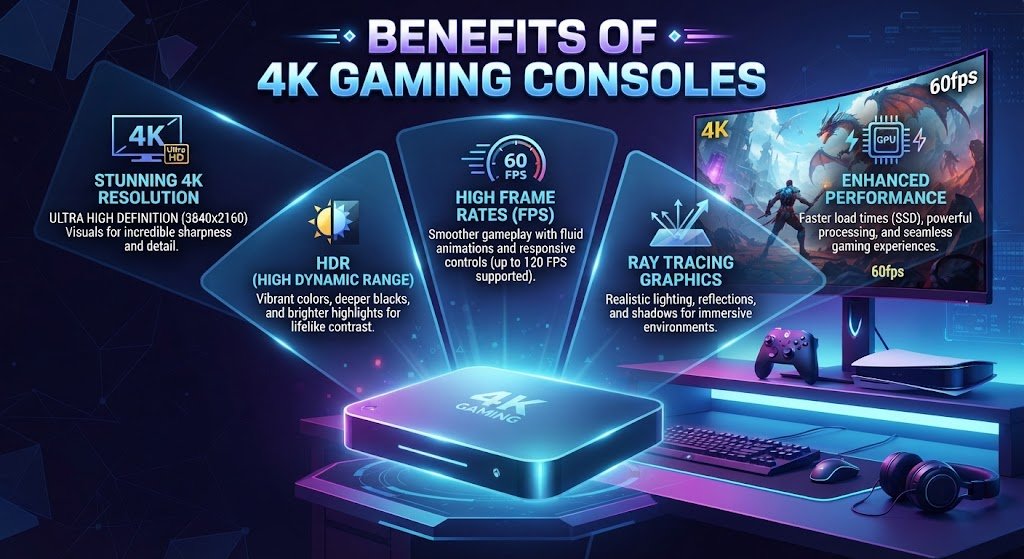
A game console 4K can be a useful choice for players who want detailed visuals and a modern large-screen gaming experience.A modern 4K console setup can offer several advantages:
- Sharper images and finer details
- Better large-screen gaming
- Support for HDR on compatible systems
- Smooth gameplay in supported performance modes
- Simple setup compared with many gaming PCs
- Access to modern game libraries
- Comfortable controller-based gaming
- Strong home entertainment features
The actual experience depends on the console, game, display, and settings you use.
Limitations of 4K Gaming
4K gaming also has some limitations.
First, a higher-quality setup can cost more. A console capable of advanced graphics may need to be paired with a suitable 4K TV to make the most of its features.
Second, not every game runs at native 4K. Developers may balance resolution against frame rate and graphical effects.
Storage is another consideration. Modern games can be large, so internal storage can fill quickly if you regularly download new titles.
Finally, buying expensive hardware does not automatically guarantee a better experience. Your display, games, internet connection, controller, and personal preferences all matter.
Before investing in a game console 4K, compare its supported games, display requirements, storage options, and performance modes to make sure they match your needs.
How to Choose the Right Game Console 4K
Choosing a game console 4K becomes easier when you first consider your preferred games, display, performance needs, and available budget.Start by thinking about the type of gamer you are.
If you mainly play casually, focus on ease of use, price, game selection, and storage.
If you enjoy competitive games, pay closer attention to frame rate, refresh rate, input lag, and controller responsiveness.
If graphics are your biggest priority, look at 4K support, HDR, graphics modes, and display quality.
Families may want to consider multiplayer options, available games, storage, and parental controls.
Most importantly, do not buy a console simply because a specification sounds impressive. Think about the games you actually play and the TV or monitor you already own.
Frequently Asked Questions
What is a game console 4K?
It is a gaming console capable of producing up to 4K UHD video output. Individual games may use native 4K, dynamic resolution, or upscaling depending on their design and performance requirements.
Is 4K gaming better than 1080p?
4K can provide more image detail than 1080p, particularly on larger screens. However, the difference also depends on viewing distance, screen quality, game design, and personal preference.
Does every game support native 4K?
No. Games can use different rendering resolutions and techniques. Some prioritize higher frame rates or advanced visual effects instead of native 4K rendering.
Do I need a 4K TV?
You do not need one to play games, but a 4K TV is useful if you want to see 4K output from a compatible console.
Is 120Hz important for 4K gaming?
It can be useful for games that support higher frame rates. It is not essential for every player or every game.
Is a mini game console the same as a modern 4K console?
No. Mini consoles often focus on compact designs and retro gaming, while modern 4K consoles are built for current games and more demanding graphics.
Conclusion
A game console 4K can provide a sharp and detailed gaming experience, especially when paired with a good 4K display. But resolution is only one part of the picture.
Before choosing your setup, consider frame rate, HDR, HDMI support, storage, controller comfort, game selection, and the capabilities of your TV or monitor. Also think about whether you need a traditional console, gaming PC, laptop, or portable option.
The best setup is ultimately the one that matches the games you enjoy, the way you like to play, and the equipment you already have. By understanding these features before buying, you can build a gaming setup that gives you the visual quality and performance you actually want.