
A mechanical keyboard can make everyday typing, gaming, and work feel faster and more comfortable. Unlike basic membrane keyboards, mechanical models use individual switches beneath each key, giving users a more distinct and responsive experience.
In this guide, I’ll explain what makes a mechanical keyboard different, how to choose the right switches and layout, which features matter for gaming, and what you should check before buying one.
What Is a Mechanical Keyboard and How Does It Work?
A mechanical keyboard uses individual mechanical switches under its keys. When you press a key, its switch registers the input and sends the signal to your computer.
The main parts include:
- Mechanical switches
- Keycaps
- Keyboard plate
- PCB
- Stabilizers
- Frame or case
The switch type affects how the keyboard feels and sounds. Some switches are smooth, some provide tactile feedback, and others produce a noticeable click.
For anyone wondering what is a mechanical keyboard and how does it work, the simplest answer is that every key has its own physical switch designed to register each press accurately.

Why Choose the Best Mechanical Keyboard?
The right mechanical keyboard can offer several advantages for everyday users.
Better Typing Feel
Mechanical switches provide physical feedback with every press. This can make typing feel more controlled and satisfying.
Faster Response
For gaming and fast-paced tasks, responsive switches can help register key presses quickly.
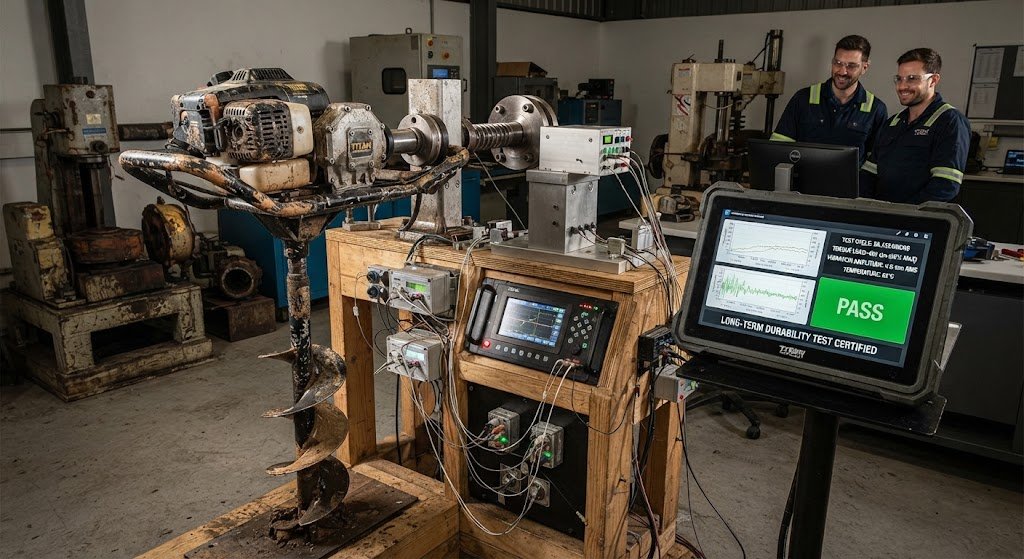
Long-Term Durability
Many mechanical keyboards are designed for heavy daily use. Their replaceable keycaps and, on some models, hot-swappable switches can also make maintenance easier.
More Customization
You can often customize switches, keycaps, lighting, layouts, macros, and software settings.
Best Mechanical Keyboard Features for Gaming
Gaming keyboards need more than attractive RGB lighting. The features that matter most are responsiveness, reliability, and customization.
Low Input Latency
Low latency helps reduce the delay between pressing a key and the computer registering the action.
Anti-Ghosting
Anti-ghosting helps the keyboard correctly recognize multiple key presses instead of producing an incorrect input.
N-Key Rollover
N-key rollover allows multiple keys to be registered at the same time, which can be useful in games requiring several simultaneous controls.
Programmable Keys
Programmable keys allow gamers to assign commands, shortcuts, or macros to specific buttons.

RGB Lighting
RGB lighting does not improve gaming performance directly, but it can add personalization and improve visibility in darker environments.
Durable Switches
Gaming sessions can involve thousands of key presses. Reliable switches can therefore be an important consideration.
Understanding Mechanical Switch Types
One of the most important decisions when choosing a mechanical keyboard is selecting the right switch.
Linear Switches
Linear switches provide a smooth key press without a tactile bump. They are often popular among gamers who prefer a consistent movement.
Tactile Switches
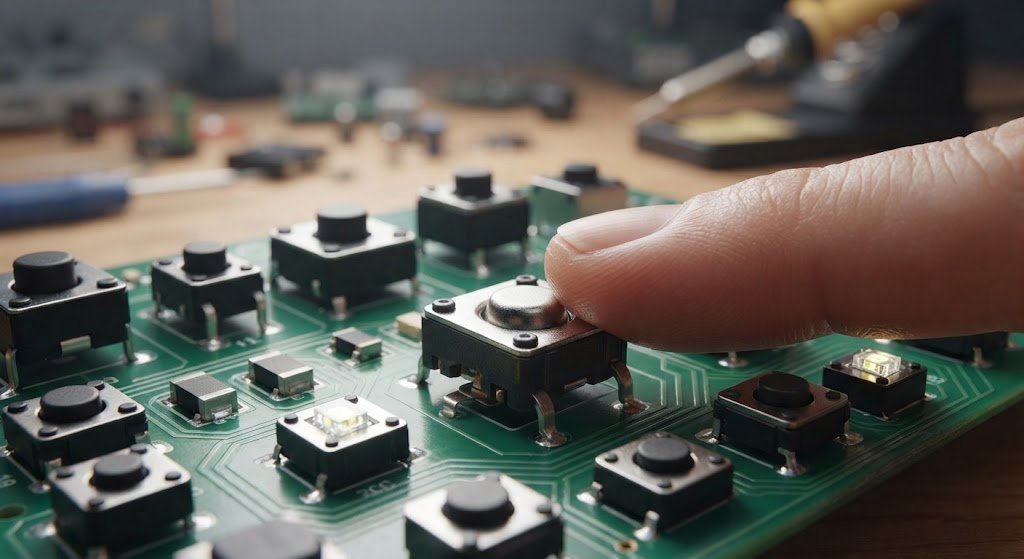
Tactile switches provide a noticeable bump during the key press. This feedback can make typing feel more controlled.
Clicky Switches
Clicky switches provide both tactile feedback and an audible clicking sound. They can be enjoyable for typing, although they may not be suitable for quiet offices.
Which Switch Should You Choose?
There isn’t one switch that is perfect for everyone. Your choice should depend on whether you mainly game, type, program, or use your keyboard for general work.
Choosing the Right Keyboard Size
Mechanical keyboards come in several layouts.
Full-Size
A full-size keyboard normally includes the number pad, function row, navigation keys, and arrow keys. It can be useful for office work and people who frequently enter numbers.
Tenkeyless
TKL keyboards remove the number pad while keeping most other standard keys. This creates more desk space without becoming extremely compact.

75% Keyboard
A 75% layout keeps many important keys in a smaller design. It can be a practical balance between functionality and desk space.
65% Keyboard
A 65% keyboard removes the function row but normally keeps arrow keys and several navigation buttons.
60% Keyboard
A 60% layout is very compact and focuses on the essential keys. It can be attractive to gamers and users who want maximum desk space.
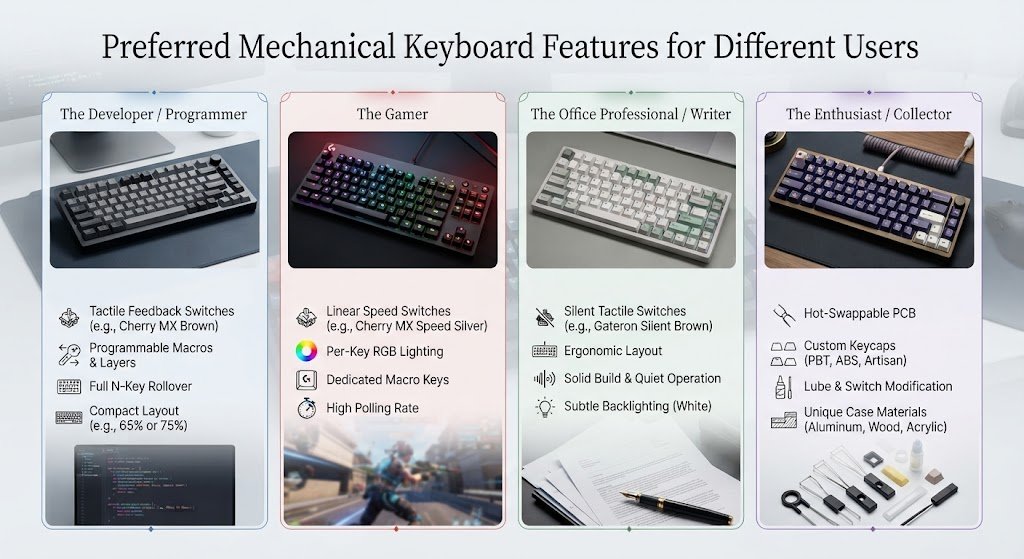
Preferred Mechanical Keyboard Features for Different Users
Different people have different priorities when choosing a keyboard.
For Gamers
Gamers may prefer low latency, responsive switches, anti-ghosting, N-key rollover, and programmable controls.
For Writers
Writers may care more about switch feel, comfort, keycap quality, and typing sound.
For Programmers
Programmers can benefit from customizable layouts, reliable switches, and convenient shortcuts.
For Office Users
Office users may prioritize quiet switches, comfortable key presses, wireless connectivity, and a professional design.
This is why your preferred mechanical keyboard should be based on your actual daily needs rather than simply following trends.
Wired vs Wireless Mechanical Keyboards
Both wired and wireless models have advantages.
Wired Keyboards
Wired keyboards offer a direct connection and don’t require battery charging. They are especially common among serious desktop gamers.
Wireless Keyboards
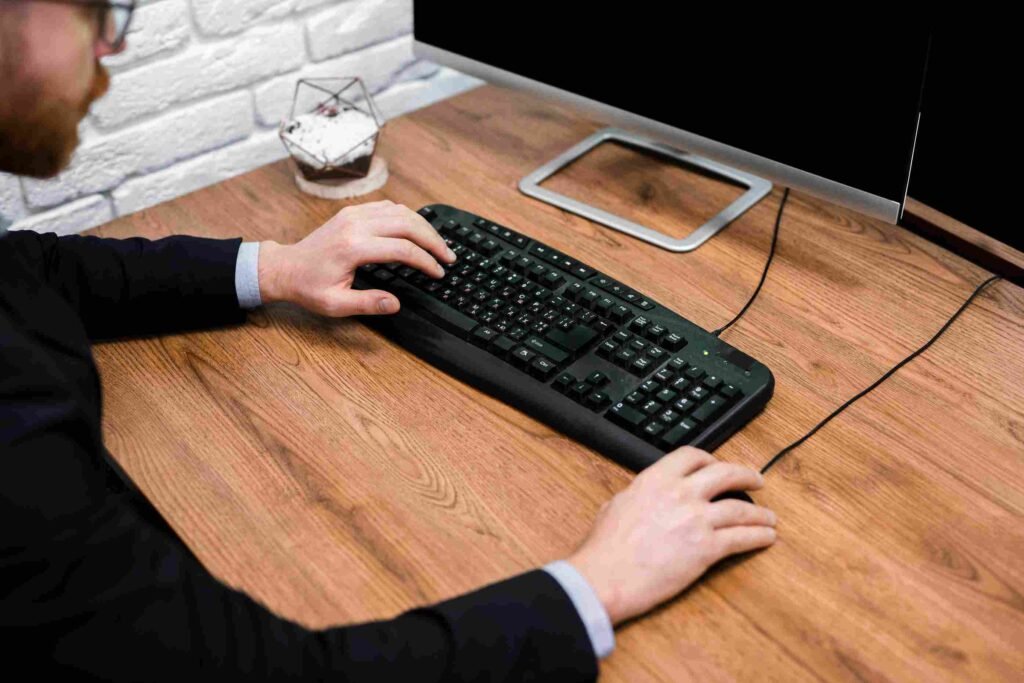
Wireless models provide a cleaner desk setup and greater flexibility. Bluetooth can be convenient for laptops and multiple devices, while 2.4GHz wireless connections are often designed for lower-latency use.
When choosing between them, consider battery life, connection stability, charging, and your typical setup.
Mechanical Keyboard Build Quality
Build quality has a major effect on how a keyboard feels over time.
Look at the following components:
- Solid keyboard frame
- Quality keycaps
- Reliable stabilizers
- Strong PC
- Good switch construction
- Replaceable components
- Comfortable typing angle
A heavier keyboard may also feel more stable on a desk, although weight alone doesn’t determine quality.
Custom Mechanical Keyboards
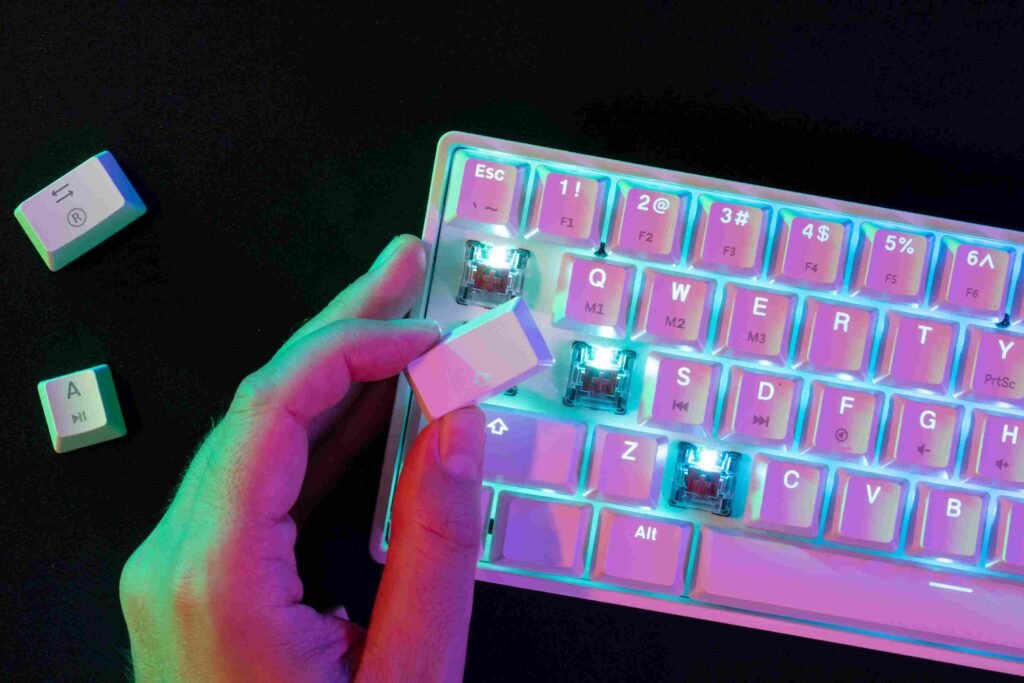
One reason mechanical keyboards are so popular is customization.
You can change:
- Switches
- Keycaps
- Stabilizers
- Keyboard case
- Plate
- Cable
- RGB settings
- Key mappings
Some keyboards are hot-swappable, allowing switches to be replaced without soldering. This is particularly useful for beginners who want to experiment with different switch types.
Mechanical Keyboard for Gaming vs Typing
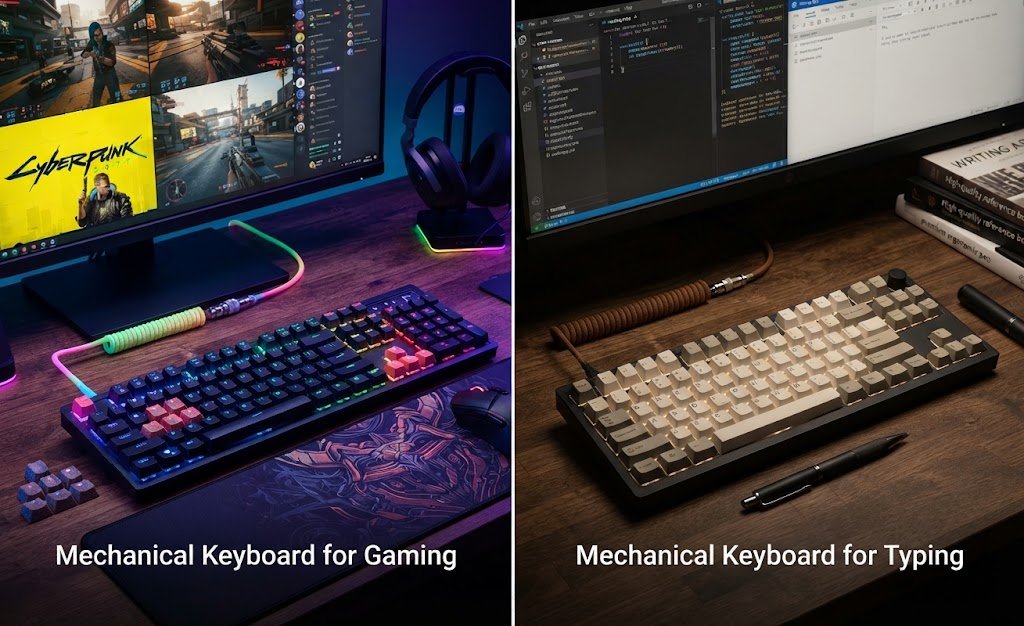
The ideal setup can be different depending on what you do most.
| Feature | Gaming | Typing |
| Fast response | Highly useful | Useful |
| Linear switches | Often preferred | Personal choice |
| Tactile feedback | Personal choice | Often useful |
| RGB | Optional | Optional |
| Programmable keys | Useful | Useful |
| Quiet operation | Depends on environment | Often important |
| Compact layout | Popular | Depends on workflow |
There is no universal answer because personal comfort plays a major role.
Mechanical Engineering Solutions: A Different Meaning
The word “mechanical” can also refer to mechanical engineering rather than keyboards. Mechanical engineering solutions may involve designing, testing, maintaining, or improving machines and mechanical systems.
This is separate from mechanical keyboards. A mechanical keyboard is a computer input device, while mechanical engineering is a professional engineering field.
Keeping this distinction clear is important when searching for information online because the word “mechanical” can have several meanings.

Louisville Mechanical Services vs Mechanical Keyboards
The phrase louisville mechanical can also appear in searches related to mechanical services or businesses in Louisville. These may involve heating, cooling, plumbing, machinery, or other mechanical work.
That meaning is completely different from a mechanical keyboard. If your search is specifically about keyboards, include terms such as mechanical keyboard, gaming keyboard, or mechanical switches to get more relevant results.
How to Find a Superior Mechanical Keyboard
Finding a superior mechanical keyboard does not simply mean choosing the most expensive model. Start with your actual requirements.
1. Decide Your Main Use
Ask yourself whether you mainly game, type, program, study, or work.
2. Choose Your Switch
Think about whether you prefer smooth, tactile, or clicky key presses.
3. Select a Layout
Choose full-size, TKL, 75%, 65%, or 60% based on your desk and workflow.
4. Check Connectivity
Decide whether you want wired, Bluetooth, or 2.4GHz wireless connectivity.
5. Look at Customization
If you enjoy modifying hardware, consider hot-swappable switches and programmable controls.
6. Consider Noise
A keyboard that sounds great in your bedroom may be too loud for a shared office.
7. Check Build Quality
Look beyond appearance and check the keyboard’s construction, keycaps, stabilizers, and switches.
Common Mechanical Keyboard Buying Mistakes
Avoid these common mistakes:
Choosing Only by Appearance
RGB lighting and attractive keycaps are nice, but they shouldn’t be the only factors.
Ignoring Switch Type
Switches have a major effect on sound and typing feel.
Buying the Wrong Size
A compact keyboard may save space but could remove keys you regularly use.
Ignoring Noise
Clicky switches can be loud. Consider your environment before choosing them.
Focusing Only on Price
A higher price doesn’t automatically mean a better experience. Features and build quality should match your needs.
How to Maintain a Mechanical Keyboard
Regular cleaning can help keep your keyboard working properly.
Remove dust and crumbs regularly, clean keycaps carefully, and avoid spilling liquids around the switches. If your keyboard supports removable keycaps, you can take them off for deeper cleaning.
For customizable models, worn keycaps or switches can sometimes be replaced instead of replacing the entire keyboard.
Quick Buying Checklist
Before purchasing, check:
- Keyboard size
- Switch type
- Keycap material
- Wired or wireless connection
- Gaming features
- Programmable controls
- Hot-swappable support
- Build quality
- Software compatibility
- Noise level
- Price
This checklist can help you narrow down your options without getting distracted by unnecessary features.
Frequently Asked Questions
What is a mechanical keyboard and how does it work?
A mechanical keyboard uses individual physical switches beneath its keys. Pressing a key activates its switch and sends an input signal to the computer.
Are mechanical keyboards good for gaming?
Yes. Their responsive switches, anti-ghosting, rollover support, and customization options can make them useful for gaming.
Which mechanical switch is best for gaming?
Linear switches are commonly chosen by gamers who prefer smooth and consistent key presses, but switch preference is personal.
Are mechanical keyboards good for typing?
Yes. Tactile, linear, and clicky switches provide different typing experiences, allowing users to choose according to their preferences.
Are mechanical keyboards durable?
Many mechanical keyboards are built for extensive use, and some allow individual switches and keycaps to be replaced.
Is a mechanical keyboard worth buying?
It can be worthwhile if you value a distinct typing feel, customization, durability, or gaming-focused features.
Final Thoughts
Choosing the right mechanical keyboard is really about matching the keyboard to your lifestyle. Gamers may focus on responsiveness and programmable controls, while writers and professionals may care more about comfort, switch feel, and noise.
Instead of choosing a keyboard simply because it looks impressive, compare its switches, layout, connectivity, build quality, and features. With the right combination, a mechanical keyboard can become a useful and enjoyable part of your everyday setup.