
Modern work is becoming more flexible, and many people no longer work from one permanent desk. Students study from different locations, freelancers work from home or cafés, and professionals often travel while staying connected to their projects. In these situations, having a second screen can make everyday tasks much easier.
An Arzopa Portable Monitor can be a practical solution for people who want additional screen space without carrying a traditional desktop monitor. Its compact form makes it easier to move, while a larger working area can improve multitasking on compatible devices.
Instead of constantly switching between browser tabs, documents, emails, and other applications, you can place different tasks on separate screens. This can make a laptop setup feel much more like a desktop workstation.
However, choosing a portable monitor should not be based on appearance alone. Screen size, resolution, refresh rate, connectivity, power requirements, weight, and compatibility can all affect your experience.
This guide explains what an Arzopa Portable Monitor is, its important features, setup process, productivity and gaming uses, alternatives, advantages and disadvantages, and the key things to check before buying.
Table of Contents
What Is an Arzopa Portable Monitor?
An Arzopa Portable Monitor is a compact external display designed to work with compatible laptops, computers, gaming devices, tablets, phones, and other supported equipment.
Unlike a traditional desktop monitor, a portable display is designed with mobility in mind. It can usually be placed in a laptop bag and carried to another location without taking up much space.
The main purpose is to provide additional screen space. For example, a writer can keep a document open on one display while researching information on another. A student can watch an online lecture while keeping notes visible. A professional can use one screen for communication and another for their main project.
Different models can have different specifications, so buyers should always check the exact model before making a decision.
Why Use a Portable Monitor?
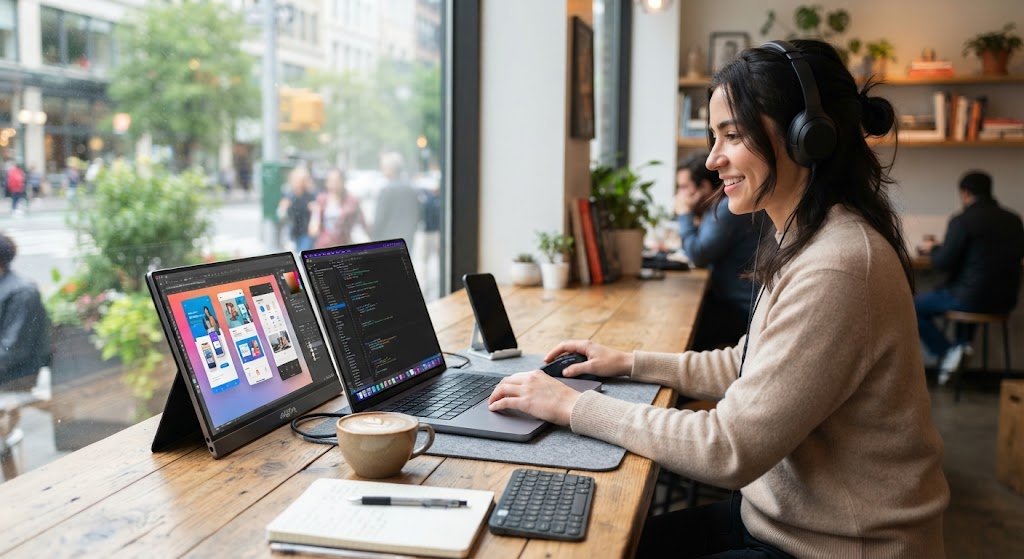
The biggest advantage of a portable monitor is convenience. You can create a more productive workstation without permanently installing another large display.
More Screen Space
A laptop screen can become crowded when several applications are open at the same time. An additional display gives you more room to organize your work.
You can place:
- Browser windows on one screen
- Documents on another
- Email beside your main application
- Spreadsheets next to research
- Communication apps away from your main workspace
This arrangement can reduce unnecessary window switching.
Easy to Carry
A portable display is useful for people who regularly move between home, office, school, and travel locations.
Instead of buying a second permanent monitor for every workspace, you can take one display with you.
Better Multitasking
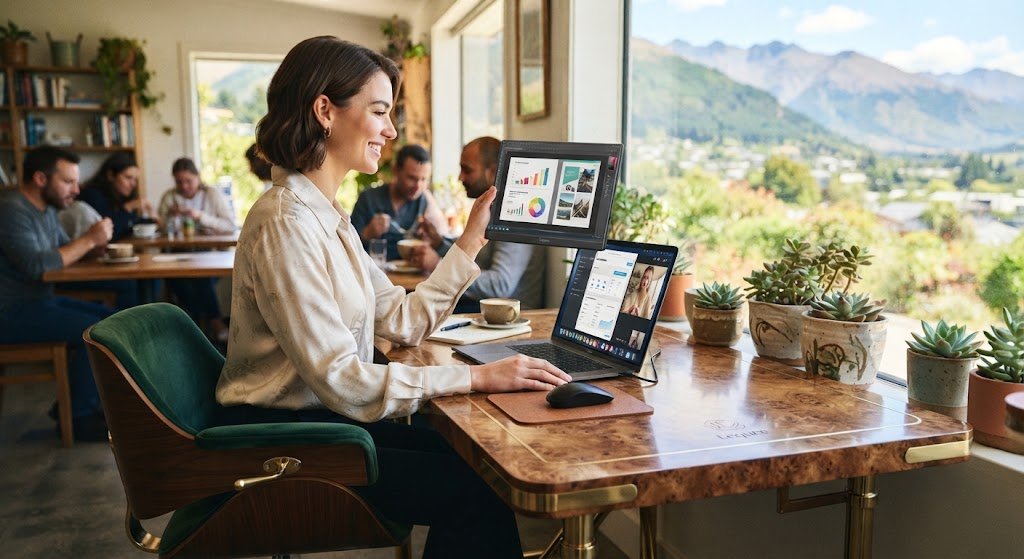
Having two screens can make tasks involving comparisons much easier. You can view information on one screen while working on another without constantly minimizing windows.
Important Features to Consider
Not every Arzopa Portable Monitor offers exactly the same features. Before buying, look at the specifications of the particular model you are considering.
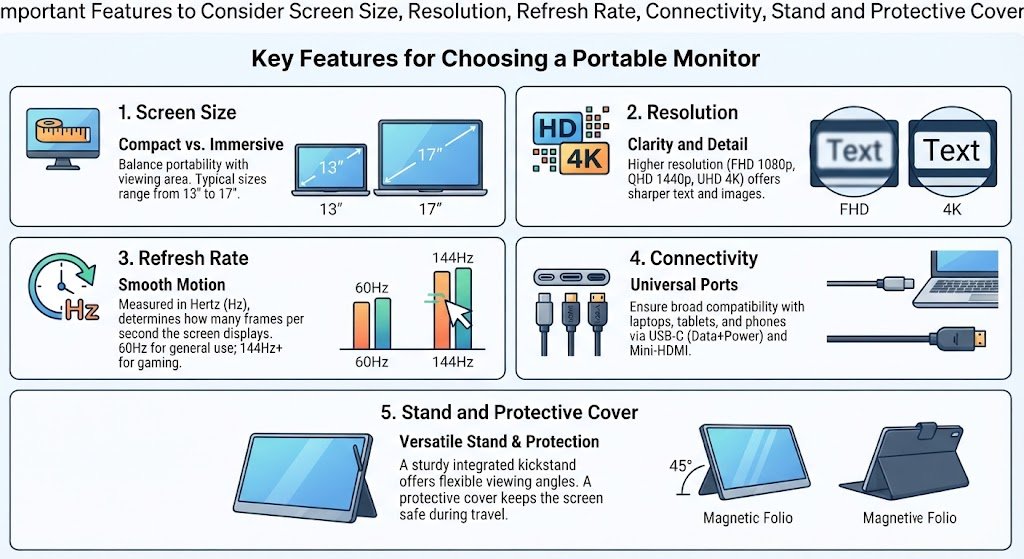
Screen Size
Portable monitors are available in different sizes. Smaller screens are easier to carry, while larger screens can provide more comfortable workspace.
If you travel frequently, portability may be more important than maximum screen size. If you mostly work from one location, a larger model may be more practical.
Resolution
Resolution determines how sharp text and images appear.
A Full HD display can be suitable for everyday tasks such as browsing, writing, email, and office applications. Higher-resolution displays may provide more detail, which can be useful for photo editing, video work, and other visual tasks.
However, higher resolution can also affect price and power consumption.
Refresh Rate
Refresh rate determines how frequently the display updates the image.
For ordinary office work, a standard refresh rate is generally sufficient. Gamers may prefer a higher refresh rate because it can make movement appear smoother.
When evaluating an Arzopa Portable Monitor for gaming, look at refresh rate together with response time and device compatibility.
Connectivity
Connectivity is extremely important.
Depending on the model, you may find USB-C, HDMI, or other ports. USB-C can make setup convenient when the connected laptop supports video output through the port.
Do not assume that every USB-C port supports display output. Check your device specifications before purchasing.
Stand and Protective Cover
A built-in stand or protective cover can make a portable display easier to use.
The stand helps you position the screen at a comfortable angle, while a protective cover can help protect the display during transportation.
How to Set Up an Arzopa Portable Monitor
One reason portable displays are popular is that setup is generally simple.
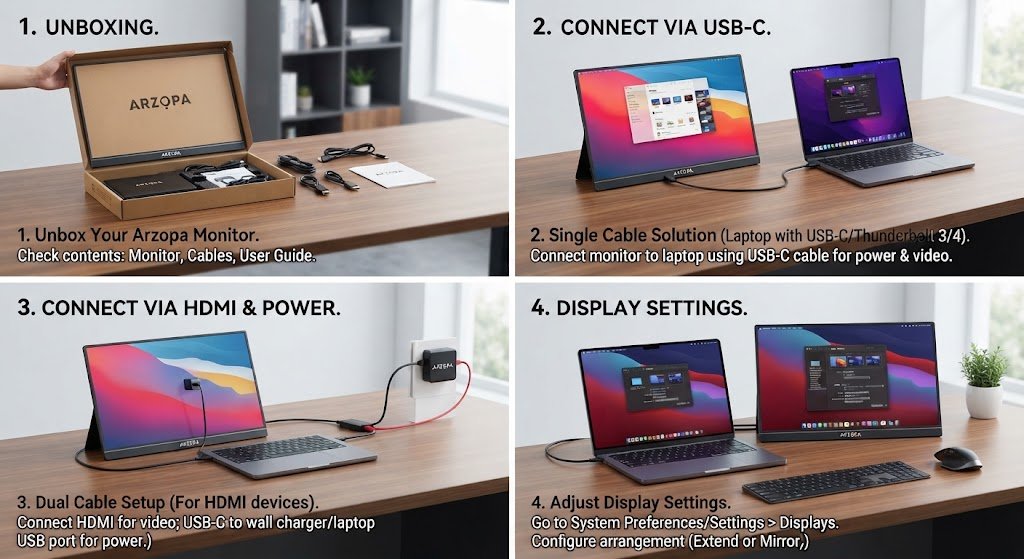
Step 1: Check Your Device
Before connecting anything, check the available ports on your laptop, tablet, phone, or gaming device.
Make sure the connection you plan to use supports video output.
Step 2: Connect the Monitor
Use the appropriate cable to connect the monitor to your device.
Some configurations may require a separate power connection. This depends on the monitor and the device providing power.
Step 3: Select Display Mode
After connection, your operating system should recognize the additional screen.
You can usually choose between:
- Duplicate
- Extend
- Second screen only
For productivity, the extended-display option is often the most useful because it gives you additional workspace.
Step 4: Adjust Settings
Set the appropriate resolution, brightness, scaling, and orientation.
You should also position the display so that you are not constantly turning your neck or looking too far down.
Can I Use My Laptop as a Monitor?
Many people ask, “can I use my laptop as a monitor?” The answer depends on the devices and software involved.
Most laptops are designed primarily to output video rather than receive video through their HDMI ports. Some operating systems and applications can allow a laptop to function as a secondary display through software-based solutions.
However, this is not the same as connecting two monitors directly.
For users who simply need a reliable second screen, an Arzopa Portable Monitor can be a more straightforward solution when the laptop and monitor have compatible connections.

Arzopa Portable Monitor for Work
One of the strongest use cases is productivity.
Imagine that you are writing an article. You can place your WordPress editor on one display and research, notes, or reference material on the other.
This setup can be useful for:
- Content writers
- Freelancers
- Programmers
- Students
- Digital marketers
- Remote workers
- Researchers
- Online teachers
It can also be useful for spreadsheets. You can keep a large spreadsheet open while viewing email or supporting documents on the second screen.
For people who frequently multitask, this additional workspace can make a laptop feel considerably less restrictive.
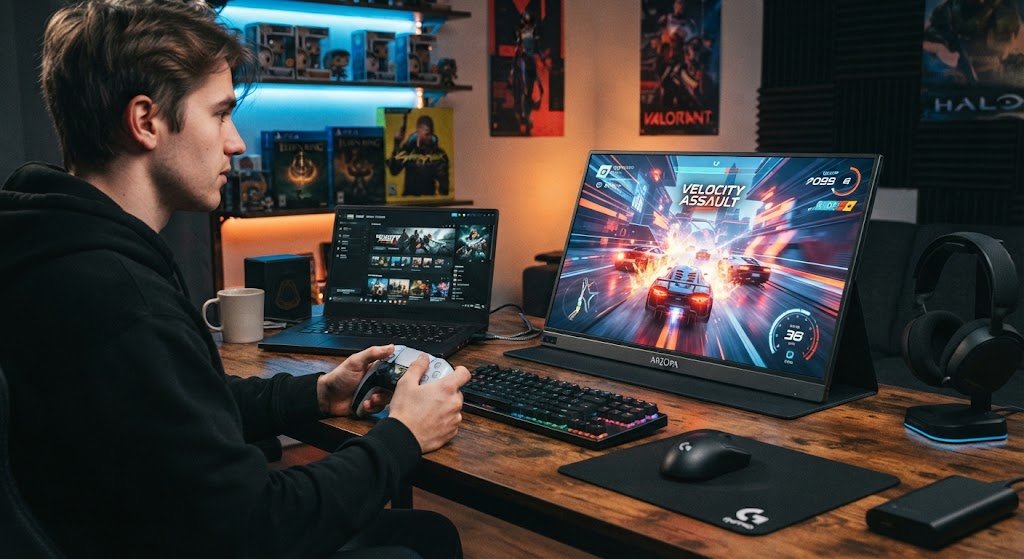
Arzopa Portable Monitor for Gaming
Portable displays can also be attractive to gamers who need a screen that can travel with them.
A compatible gaming laptop, console, or other device can be connected to the display. However, gaming performance depends heavily on the specifications of both the monitor and the connected device.
Before purchasing a gaming-oriented Arzopa Portable Monitor, consider:
- Refresh rate
- Response time
- Resolution
- Screen size
- HDMI support
- USB-C video support
- Power requirements
A higher refresh rate may be valuable for fast-moving games, while resolution can influence image sharpness.
Arzopa vs KYY Portable Monitor
The KYY portable monitor is another product category that buyers may compare with Arzopa.
Rather than choosing based only on brand recognition, compare the exact models.
Consider:
- Display size
- Resolution
- Brightness
- Refresh rate
- Available ports
- Weight
- Stand design
- Compatibility
- Warranty
- Price
The best option depends on your intended use. A traveler may prioritize weight, while a gamer may care more about refresh rate.
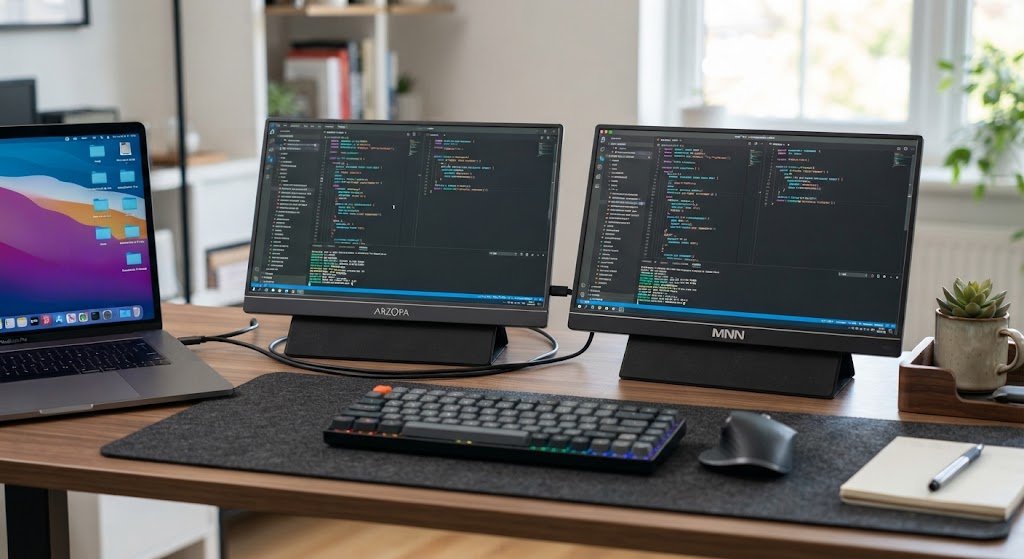
Arzopa vs MNN Portable Monitor
An MNN portable monitor can also be an alternative for people looking for a compact external display.
The comparison should focus on the features that matter to you rather than simply asking which brand is better.
For office work, text clarity and connectivity may be more important than gaming specifications. For gaming, refresh rate and response time may have greater importance.
Always compare current specifications for the exact models because manufacturers can offer several versions with different features.
Portable Monitor vs Portable Launch Monitor
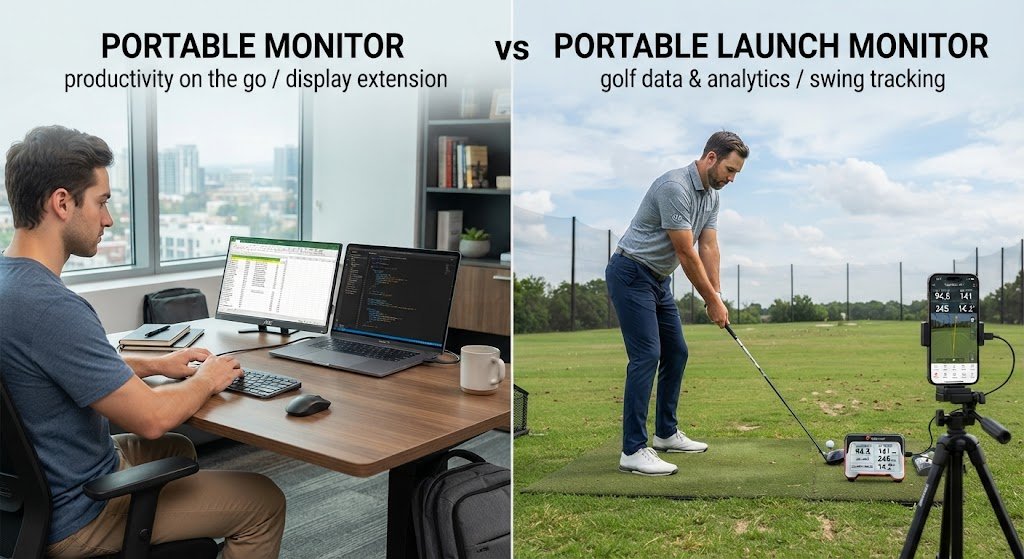
The word “monitor” appears in several technology categories, which can sometimes create confusion.
A portable launch monitor is generally related to golf. It is designed to measure or analyze golf shots and provide performance information.
This is completely different from a computer portable monitor.
For example, the Blue Tees Rainmaker portable golf launch monitor is a golf technology product, not a computer display.
Likewise, the Eye Mini SimKit 12ft portable launch monitor system belongs to the golf simulation and launch-monitor category.
If you are searching for an additional screen for a laptop, you need a portable display rather than a golf launch monitor.
What Is a Portable Gas Monitor?
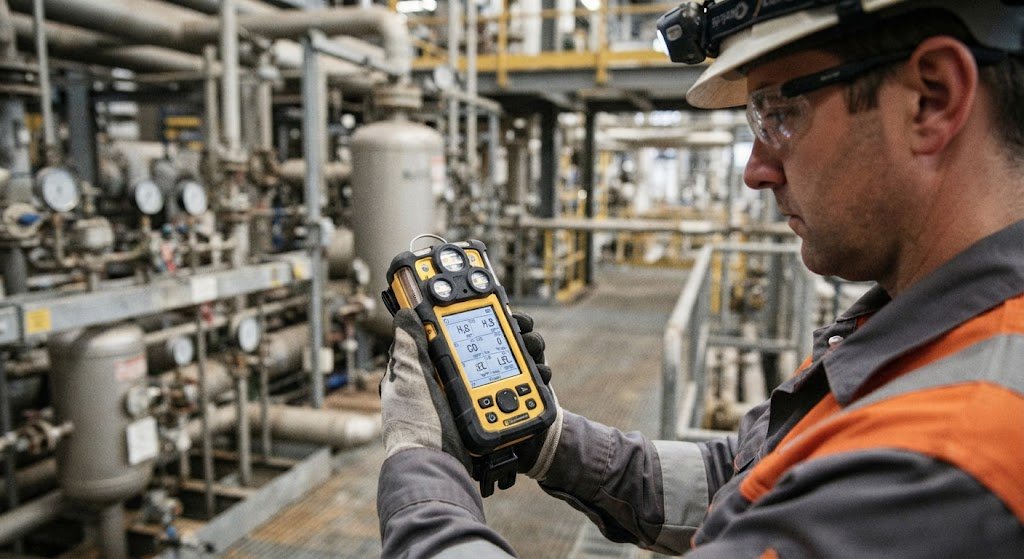
A gas monitor portable device is another completely different type of equipment.
Portable gas monitors are designed to detect or measure gases in environments where monitoring can be important for safety.
The three products can therefore be separated easily:
- Portable computer monitor: displays visual information
- Portable golf launch monitor: analyzes golf performance
- Portable gas monitor: detects or measures gases
The similar use of the word “monitor” does not mean these products perform the same job.
Who Should Buy an Arzopa Portable Monitor?
An Arzopa Portable Monitor can be particularly useful for several types of users.
Remote Workers
People working from different locations can carry an additional display with their laptop and quickly create a dual-screen workstation.
Students
Students can use one display for classes or videos and another for notes, research, or assignments.
Content Creators
Writers, editors, designers, and social media managers often benefit from having multiple applications visible at once.
Travelers
A portable second screen can provide additional workspace without requiring a permanent office setup.
Gamers
Gamers who use compatible laptops or consoles may appreciate a lightweight display that can travel with their equipment.
Pros and Cons
Pros
- Compact design
- Easy to carry
- Additional screen space
- Useful for multitasking
- Suitable for travel
- Can save desk space
- Works with various compatible devices
- Convenient for temporary workstations
Cons
- Smaller than many traditional monitors
- Some setups may require extra power
- USB-C compatibility varies
- Specifications differ between models
- Some models may not be suitable for professional color-critical work
Smart Buying Checklist
Before purchasing an Arzopa Portable Monitor, check these points carefully:
- Exact model number
- Screen size
- Resolution
- Refresh rate
- Response time
- USB-C video support
- HDMI compatibility
- Brightness
- Weight
- Stand or cover
- Power requirements
- Device compatibility
- Warranty
- Return policy
Do not choose a monitor simply because it has the lowest price. A display that matches your actual needs can provide much better long-term value.
Frequently Asked Questions
What is an Arzopa Portable Monitor used for?
It is used as an additional display for compatible laptops, computers, gaming devices, tablets, phones, and other supported equipment.
Can I connect a portable monitor to my laptop?
Yes, if your laptop and monitor have compatible video connections. USB-C video support should be verified because not every USB-C port carries a display signal.
Does a portable monitor need separate power?
It depends on the model and device. Some setups can provide power through USB-C, while others may require a separate power source.
Is an Arzopa Portable Monitor good for gaming?
Some models can be suitable for gaming, particularly when they provide a higher refresh rate and suitable response time. Always check the exact specifications.
Is a portable monitor better than using a laptop as a second screen?
A dedicated portable display can be simpler because it is specifically designed to function as an external screen. Software-based laptop solutions may involve additional limitations.
What should I check before buying?
Focus on resolution, size, connectivity, refresh rate, brightness, weight, power requirements, and compatibility with your device.
Final Thoughts
An additional display can make a major difference when a laptop screen feels too small for your daily workload. Whether you are writing, studying, working remotely, researching, or gaming, a portable second screen provides extra space without requiring a permanent desk setup.
An Arzopa Portable Monitor is worth considering when portability and flexibility are important to you. However, the best model depends on your specific requirements and the devices you plan to connect.
Before buying, check the exact specifications rather than relying only on the brand name. Pay particular attention to resolution, connectivity, refresh rate, power requirements, weight, and compatibility.
With the right model and setup, a portable display can transform a simple laptop into a more flexible and productive workstation while remaining easy to carry wherever your work takes you.