
We create and save more digital files than ever before. From family photos and videos to work documents, school projects, business records, and important personal information, these files can quickly take up a lot of space. This makes choosing the right file storage solution an important part of managing digital data.
The good news is that you have several options. You can save files on your computer, use an external drive, store them on a NAS device, or upload them to a cloud service. Each option has different benefits for security, accessibility, capacity, and cost.
In this guide, I will explain how digital storage works, the difference between storage and backup, security considerations, photo storage, personal cloud devices, and practical ways to choose the right solution for your needs.
What Is File Storage?
File storage is a method of saving digital files in a location where they can be accessed and managed later. These files may include documents, images, videos, music, applications, spreadsheets, and other digital data.
Storage can be physical or online. For example, your computer’s internal SSD is a physical storage device, while an online cloud account stores information on remote servers.
The right choice depends on what you are storing and how you plan to access it. Someone saving a few documents may need very little capacity, while a photographer or video creator may require several terabytes.

How Does File Storage Work?
Digital storage works by recording information as data on a storage medium. When you save a file, the system assigns space for that data and keeps information that allows the operating system to find it later.
There are several common approaches.
Local File Storage
Local storage keeps your files on a device you control. Common examples include:
- Internal SSDs
- Internal hard drives
- External hard drives
- External SSDs
- USB flash drives
Local storage can be fast because you do not always need an internet connection to access your files. It can also be useful for large files that would take a long time to upload or download.
However, a local drive can be damaged, lost, or stolen. That is why important files should not exist in only one location.
Cloud File Storage
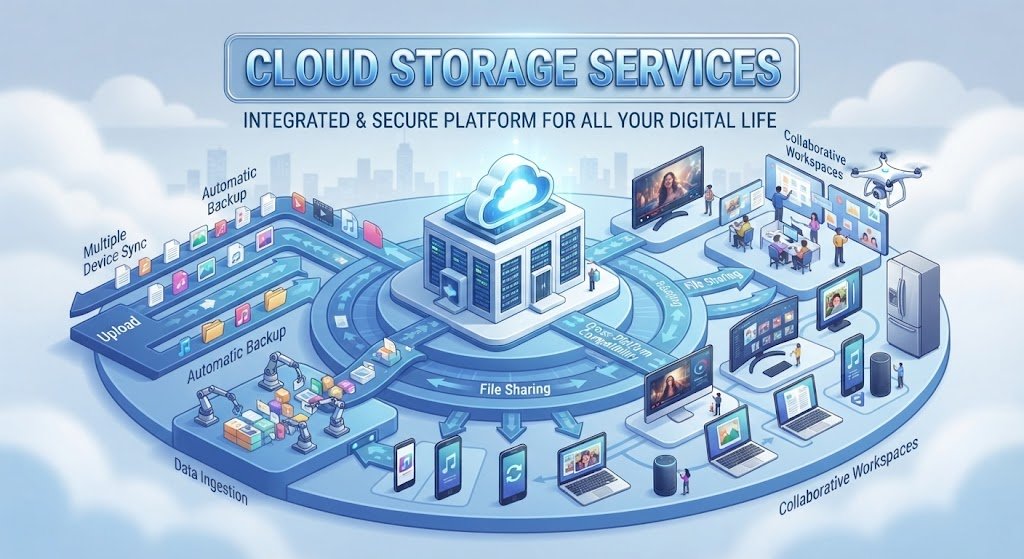
Cloud storage saves your data on servers operated by a storage provider. You normally access your files through an application or web browser.
One major advantage is convenience. You can often access your information from a computer, tablet, or smartphone as long as you have an internet connection.
Cloud services can also make synchronization and sharing easier. However, storage limits, subscription fees, internet requirements, and privacy policies should be considered before choosing a service.
Personal Cloud Storage
A personal cloud setup gives you remote access to storage that you control, often through a NAS device at home or in an office.
This can provide more control over your data and may be useful for people with large collections of photos, videos, or documents.
Why Is Secure Data Storage Important?
Saving a file is only part of the process. You also need to think about protecting it.
Secure data storage helps reduce the risk of unauthorized access, accidental deletion, hardware failure, and other problems. Security becomes particularly important when files contain financial information, private photographs, business documents, or personal records.
Some useful security measures include strong passwords, two-factor authentication, encryption, access controls, and regular backups.
It is also important to keep software and storage devices updated. If your files are accessible through an online account, avoid using the same password across multiple services.
Most importantly, do not assume that storing a file automatically protects it. A file can still be lost if the only copy becomes unavailable.

Cloud Photo Storage and Backup
Photos are among the files that can consume storage space quickly. Modern smartphones and cameras can produce high-resolution images, while professional cameras can create large RAW files.
A good cloud photo storage and backup solution can help photographers and everyday users keep copies of their images away from their main device.
When evaluating a photo storage service, consider:
- Available storage capacity
- Automatic backup
- Upload performance
- RAW file support
- Photo organization
- Search capabilities
- Sharing options
- Security features
- Pricing
Automatic backup can be particularly useful because it reduces the chance of forgetting to copy new photos manually.

What Is the Best Cloud Storage for Photographers?
There is no single service that is ideal for every photographer. The right choice depends on the size of your photo library, camera files, workflow, budget, and preferred editing process.
When looking for the best cloud storage for photographers, pay close attention to storage capacity and how the service handles large files. A photographer with thousands of RAW images may need substantially more space than someone who mainly stores smartphone pictures.
Also consider whether you need automatic synchronization, easy client sharing, long-term archiving, or integration with your existing workflow.
What Are the Best File Storage Options?
Different storage methods work well for different situations. Instead of looking for one solution for everyone, consider how each option fits your needs.
Cloud Storage Services
Cloud storage is convenient for people who want access from multiple devices. It can also simplify sharing and synchronization.
Pros:
- Access from different devices
- Easy file sharing
- Automatic synchronization
- No physical drive to carry
Cons:
- Internet access may be required
- Larger plans can cost more
- Storage limits may apply
- Privacy depends partly on the provider
External Hard Drives
External hard drives provide large amounts of physical storage at a relatively affordable cost.
They are useful for backups, media libraries, and files that do not need to be accessed constantly.
The main disadvantage is that physical drives can fail or become damaged. For important information, an external drive should be part of a broader backup strategy rather than the only copy.
Network-Attached Storage
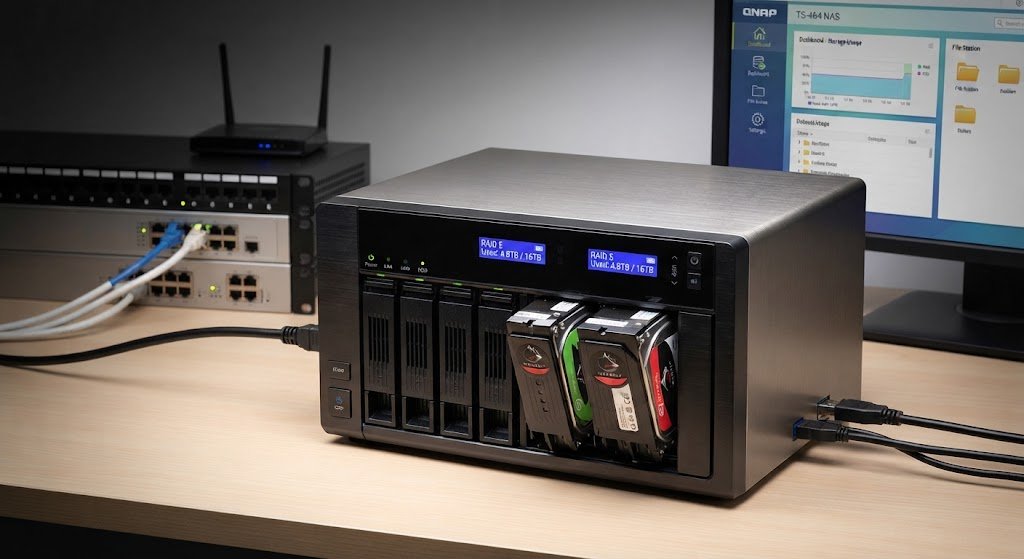
A NAS device connects to your home or office network and provides centralized storage for multiple devices.
It can be useful for families, small businesses, photographers, and users with large media collections.
Depending on the setup, a NAS can provide features such as automated backups, user accounts, remote access, and redundancy.
USB Flash Drives
USB drives are convenient for transferring smaller amounts of data. They are compact and easy to carry.
However, they are generally better suited to transferring or temporarily storing files than serving as the only location for important long-term data.
What Is the Best Personal Cloud Storage Device?
The best personal cloud storage device depends on your capacity requirements, technical knowledge, budget, and desired features.
A NAS is one common choice because it can provide centralized storage while allowing authorized devices to access files over a network.
Before buying one, consider the number of drive bays, supported storage capacity, backup features, remote access, security controls, and ease of use.
If you have a large photo or video collection, choosing a system that can be expanded later can be helpful. You should also consider the cost of the drives themselves because the advertised device price may not include storage drives.
Alternatives to Cloud Storage
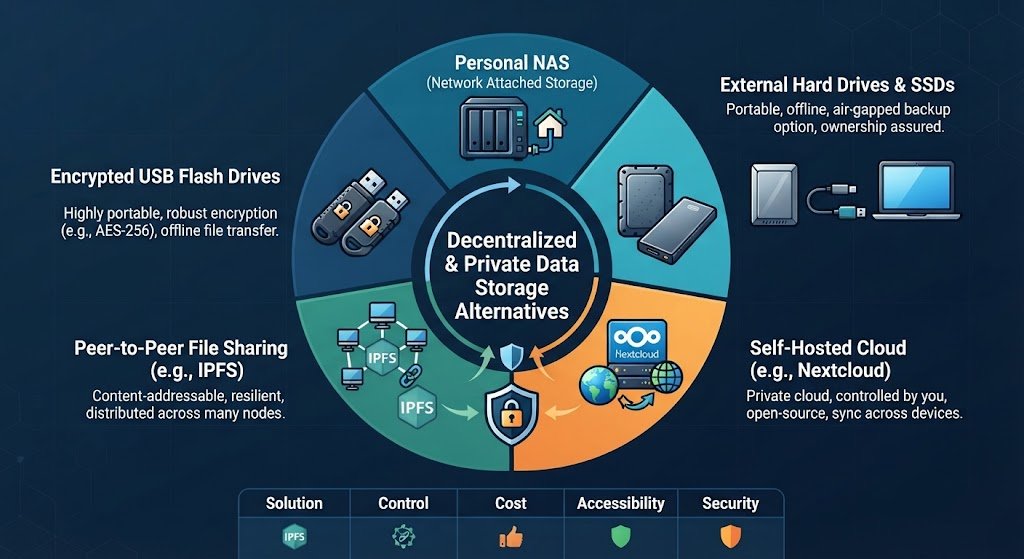
Cloud services are convenient, but they are not the only way to manage digital files. There are several alternatives to cloud storage.
An external SSD is useful when speed and portability are important. External hard drives can provide more capacity for less money, while a NAS can create a private storage environment at home or in an office.
Some advanced users also use home servers or other local storage systems.
The best alternative depends on whether your priority is speed, privacy, portability, capacity, or long-term cost.
How Much File Storage Do You Need?
Your storage requirements depend heavily on what you save.
Someone who mainly stores documents may need only a small amount of space. A person who keeps thousands of photos may need hundreds of gigabytes, while video professionals can require multiple terabytes.
A simple way to estimate your needs is to look at your current data usage and consider how quickly it is growing.
For example, if your existing photo collection uses 300 GB and you add around 50 GB each year, buying exactly 300 GB of storage would leave little room for future growth.
It is usually better to leave some extra capacity instead of constantly operating at the storage limit.
Subscription Plan Storage Cost Overage Calculation
Cloud storage pricing can become more complicated when your data grows beyond the included limit.
When comparing plans, look at the complete cost rather than just the advertised monthly price. A subscription plan storage cost overage calculation should consider the included capacity, additional storage charges, billing frequency, and the amount of data you expect to store.
For example, a cheaper plan may initially seem attractive, but if your storage needs grow substantially, upgrading to a larger plan could change the total annual cost.
Always check the provider’s current pricing and storage rules before making a long-term decision.
How to Choose the Right File Storage Solution
Before choosing a storage method, ask yourself a few simple questions:
1. How much space do I need?
Estimate your current data and expected future growth.
2. Do I need access from multiple devices?
If you regularly switch between a laptop, phone, and tablet, online storage may be convenient.
3. How important is privacy?
Consider encryption, account security, access controls, and who manages the storage infrastructure.
4. Do I need automatic backups?
Automatic backups can reduce the risk of forgetting to save important files elsewhere.
5. What is my budget?
Compare both initial costs and recurring expenses.
6. How quickly do I need to access files?
Local SSDs can provide very fast access, while cloud performance depends partly on your internet connection.
File Storage Security Best Practices
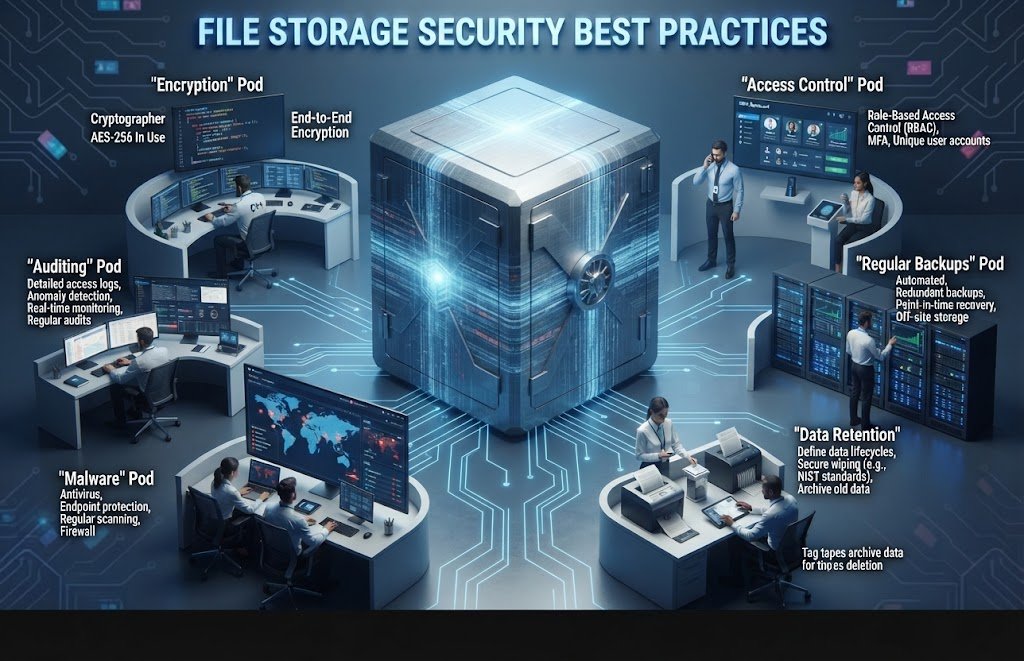
A few simple habits can make your digital storage much safer.
- Use strong, unique passwords.
- Turn on two-factor authentication when available.
- Encrypt sensitive information.
- Keep important files in more than one location.
- Regularly test your backups.
- Keep storage software updated.
- Review account permissions.
- Avoid connecting unknown storage devices to your computer.
- Organize files so important data is easy to identify.
For especially valuable information, consider keeping one backup in a separate physical location.
File Storage vs. File Backup: What Is the Difference?
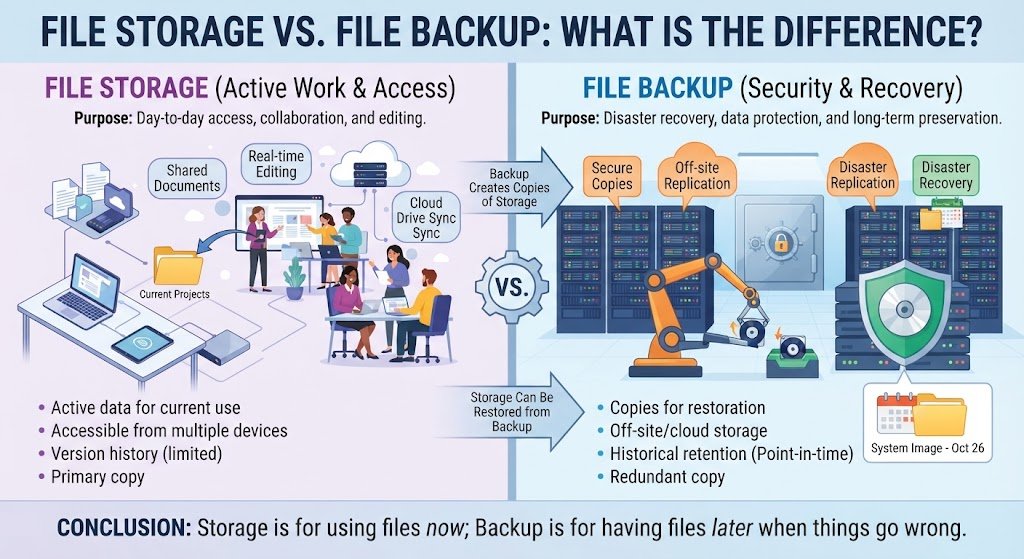
Storage and backup are related but different.
Storage is where you keep files for normal use. Backup means creating an additional copy that can be restored if the original is lost or damaged.
For example, if you save your family photos on one external drive, that drive is being used for storage. If you then copy those photos to another drive or a cloud service, you have created a backup.
This distinction matters because one copy does not provide much protection against hardware failure, theft, accidental deletion, or other unexpected problems.
Common File Storage Mistakes to Avoid
One common mistake is keeping important information in only one place. Another is choosing a storage plan without considering future growth.
Some users also forget to check whether their automatic backup is actually working.
Other mistakes include ignoring account security, failing to organize files, and choosing a plan based only on its starting price.
Taking a few minutes to review your storage setup can help prevent major problems later.
Frequently Asked Questions About File Storage
What is file storage used for?
It is used to save digital information such as documents, photos, videos, music, and other files so they can be accessed and managed later.
Is cloud storage safe for personal files?
Cloud storage can provide useful security features, but safety depends on the service, account settings, password practices, and how sensitive information is managed.
How much storage does an average user need?
It varies according to personal usage. Documents require relatively little space, while photos and videos can require hundreds of gigabytes or several terabytes.
What is the best storage for photos?
The right choice depends on your photo collection, backup requirements, access needs, budget, and whether you work with large RAW files.
Is cloud storage better than an external hard drive?
They serve different purposes. Cloud storage provides convenient remote access, while an external drive offers local control and can be useful for large backups.
What are alternatives to cloud storage?
Common alternatives include external hard drives, external SSDs, NAS systems, USB drives, and home servers.
How can I keep my files secure?
Use strong passwords, two-factor authentication, encryption where appropriate, regular backups, updated software, and more than one copy of important files.
Conclusion
Choosing the right file storage solution is about more than simply finding extra space. You should consider capacity, security, accessibility, backup options, privacy, performance, and long-term cost.
Cloud services are convenient for synchronization and remote access, while external drives and NAS systems can provide useful local storage. For valuable files, combining different methods can provide better protection than relying on a single location.
Start by understanding how much data you have today, how quickly it is growing, and how important that data is. From there, you can build a storage system that fits your everyday needs without paying for features or capacity you do not actually require.